CCTV Installation with AI Security, Built In
Complete CCTV installation with AI security, recording, alerts and optional physical response systems for homes, offices, hospitals, factories, warehouses, malls and campuses across Delhi NCR. We survey the site, design the coverage, install the cameras and cabling — and the same system detects, alerts and responds from day one.
The whole job, by one team
Looking for CCTV installation? You get the CCTV system installed with AI security built into the deployment — and one company responsible for the cameras, the cabling, the recording, the detection and the service afterwards.
- Site survey and coverage design before anything is quoted
- Camera selection per location — fixed, PTZ, varifocal, Wi-Fi, low-light or specialised
- Cabling, PoE switches, networking, power and mounting
- Recording and storage configured for the retention you need
- Parvekshak Security Appliance installed on site — recording and AI in one
- AI capabilities configured to the premises: zones, hours, enrolled people
- Speakers, sirens, lights and floodlights wired where required
- Testing, commissioning, user training and handover
- Ongoing service and AMC
Every premises has a different risk
Homes & Societies
Villas, apartments, independent houses and RWA common areas — perimeter, gate, driveway and entrance coverage.
Offices & Commercial
Corporate floors, retail, showrooms and malls — entry, reception, cash areas, stores and staff-only rooms.
Factories & Warehouses
Shop floors, plant rooms, loading docks, yards and perimeters — with safety and operations capabilities on the same cameras.
Hospitals & Campuses
Casualty entrances, pharmacy and records rooms, wards, corridors and parking, with staff-only zones enforced by time.
Right camera for every location
We are not tied to one camera type. During the survey we select the camera, lens, mounting position and power/network method for each location — and reuse compatible cameras you already own where that is the practical choice. Everything then connects to the Parvekshak Security Appliance for recording, AI, alerts, playback and reports.
Fixed IP Cameras
- Where
- Entrances, corridors, rooms, shop floors and perimeter runs.
- Why
- Everyday coverage of a known, fixed field of view — the backbone of most deployments.
- Connects
- PoE over a single cable into the network switch and on to the appliance.
PTZ Cameras
- Where
- Large yards, campuses, parking areas and open plant land.
- Why
- One camera covers a wide area, with pan, tilt and zoom for detail on demand.
- Connects
- PoE or dedicated power, streaming to the appliance over the same network.
Varifocal Cameras
- Where
- Locations where the exact angle and reach must be set on site.
- Why
- The focal length is adjusted during installation for precise coverage of a gate, aisle or approach.
- Connects
- PoE into the switch, tuned at commissioning and left fixed.
Wi-Fi Cameras
- Where
- Spots where running Ethernet is impractical — retrofits, rented premises, outbuildings.
- Why
- Coverage without new cabling, where a wireless link is appropriate and stable.
- Connects
- Over your Wi-Fi network to the appliance; local power at the camera.
Low-Light / Night Cameras
- Where
- Perimeters, driveways, yards and any area with difficult lighting.
- Why
- Usable images in low light, which is when most intrusion detection matters.
- Connects
- PoE into the switch, with lighting and lux checked during the survey.
Specialised Cameras
- Where
- Gates and parking where vehicle or number-plate applications are required.
- Why
- Specialised requirements such as ANPR, subject to compatibility and project scope.
- Connects
- Into the same network and appliance, scoped per project.
One appliance. NVR + AI + management.
Camera streams, recording, playback, AI events, evidence clips, alerts, reports, users and roles and camera health — centralised in one appliance inside your premises. Faces, clips and reports stay on site.
Camera count, retention and storage are specified per appliance configuration and confirmed during the survey.
AI capabilities you can switch on
Capabilities are selected per site during the survey. A home needs a handful; a plant may use security, safety and operations together. Nothing here requires new hardware on the wall once the cameras are in.
Security
Who is on site, where they are, and whether they should be there.Intruder / Unknown Person Detection
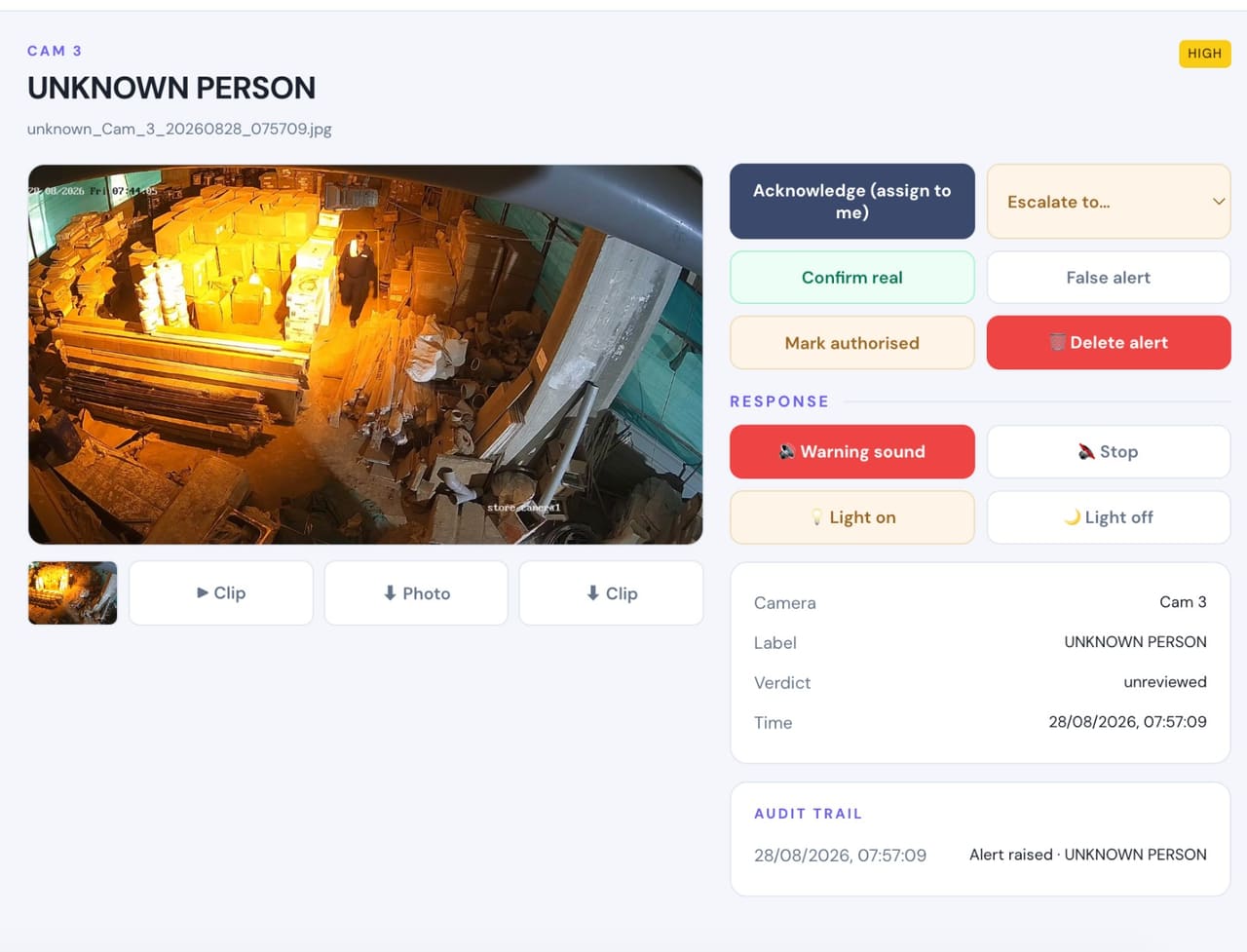
- Detects
- A person whose face is not on your enrolled list of family, staff or contractors.
- Where it helps
- Perimeter, entrances, driveways, yards, store rooms and staff-only floors.
- Example
- Someone climbs the boundary wall at 2:50 AM and walks toward the house.
- Configurable response
- Mobile alert with snapshot and clip · voice warning · floodlight · siren where installed.
Known-Person Recognition
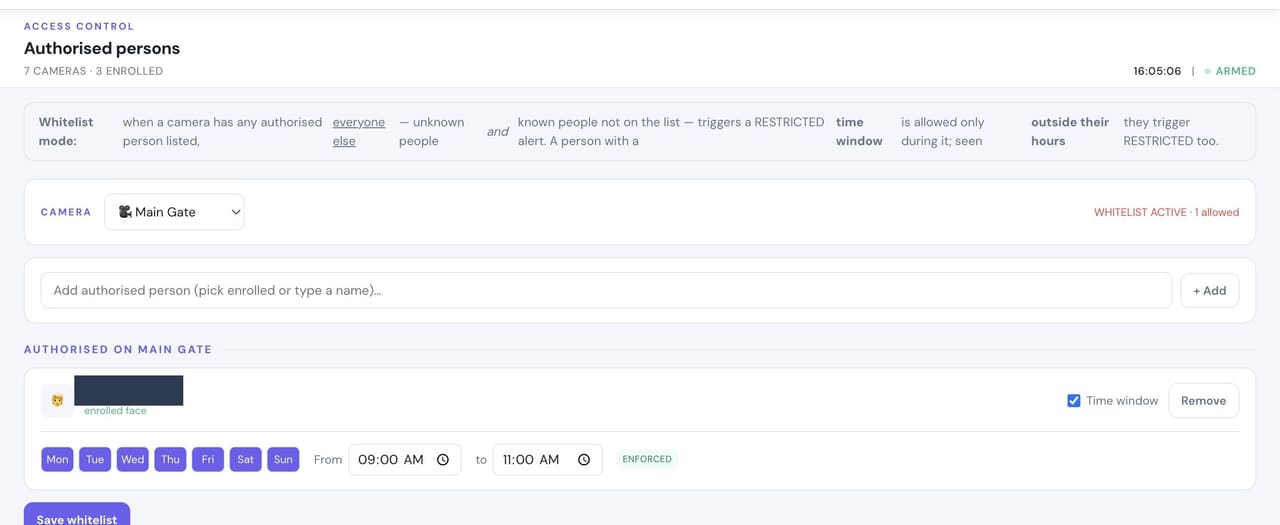
- Detects
- Enrolled family members, staff and contractors, so routine movement does not raise alarms.
- Where it helps
- Main gate, reception, lobby and entry cameras.
- Example
- Your housekeeper arrives at 9 AM and is recognised instead of flagged as an intruder.
- Configurable response
- Silent log entry · named notification where you want one.
Unauthorised Access
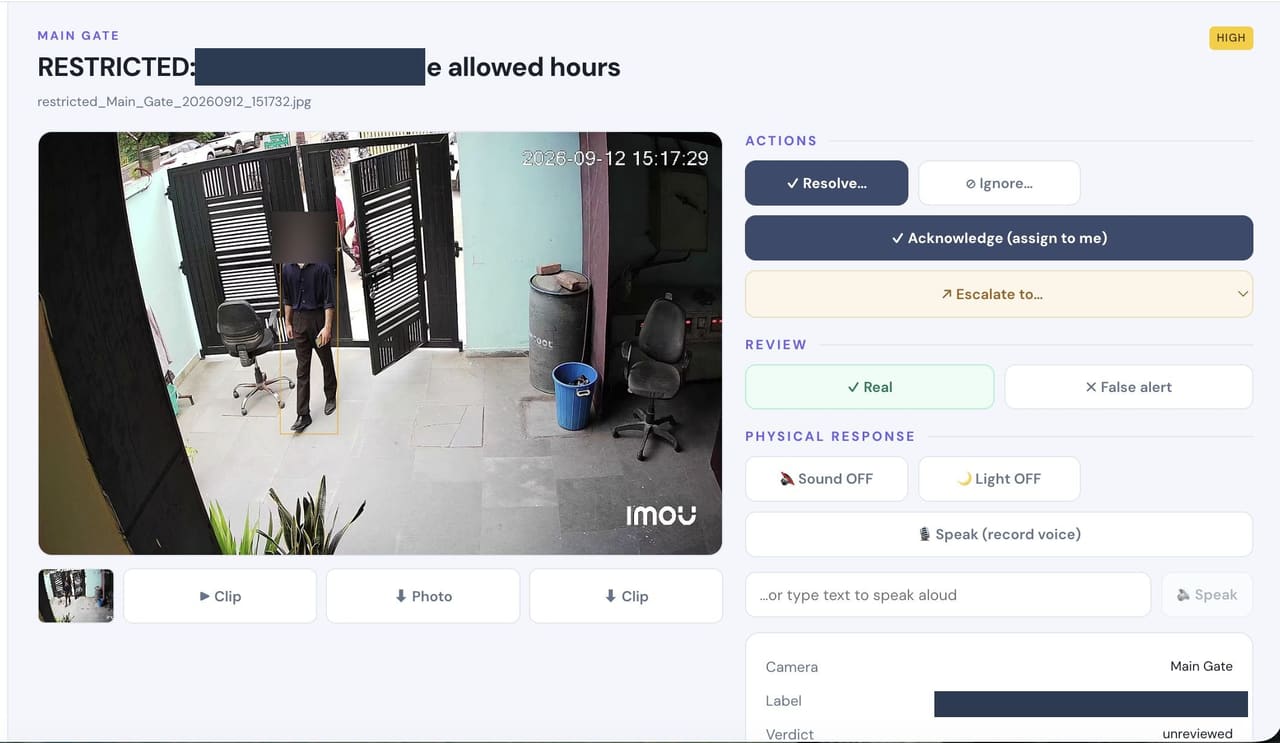
- Detects
- A known person in a place or at a time they are not permitted.
- Where it helps
- Cash offices, server and records rooms, pharmacy and inventory stores.
- Example
- An enrolled employee enters the stores at 11 PM, outside their permitted hours.
- Configurable response
- Named mobile alert with camera and clip · evidence retained.
Restricted-Zone Monitoring
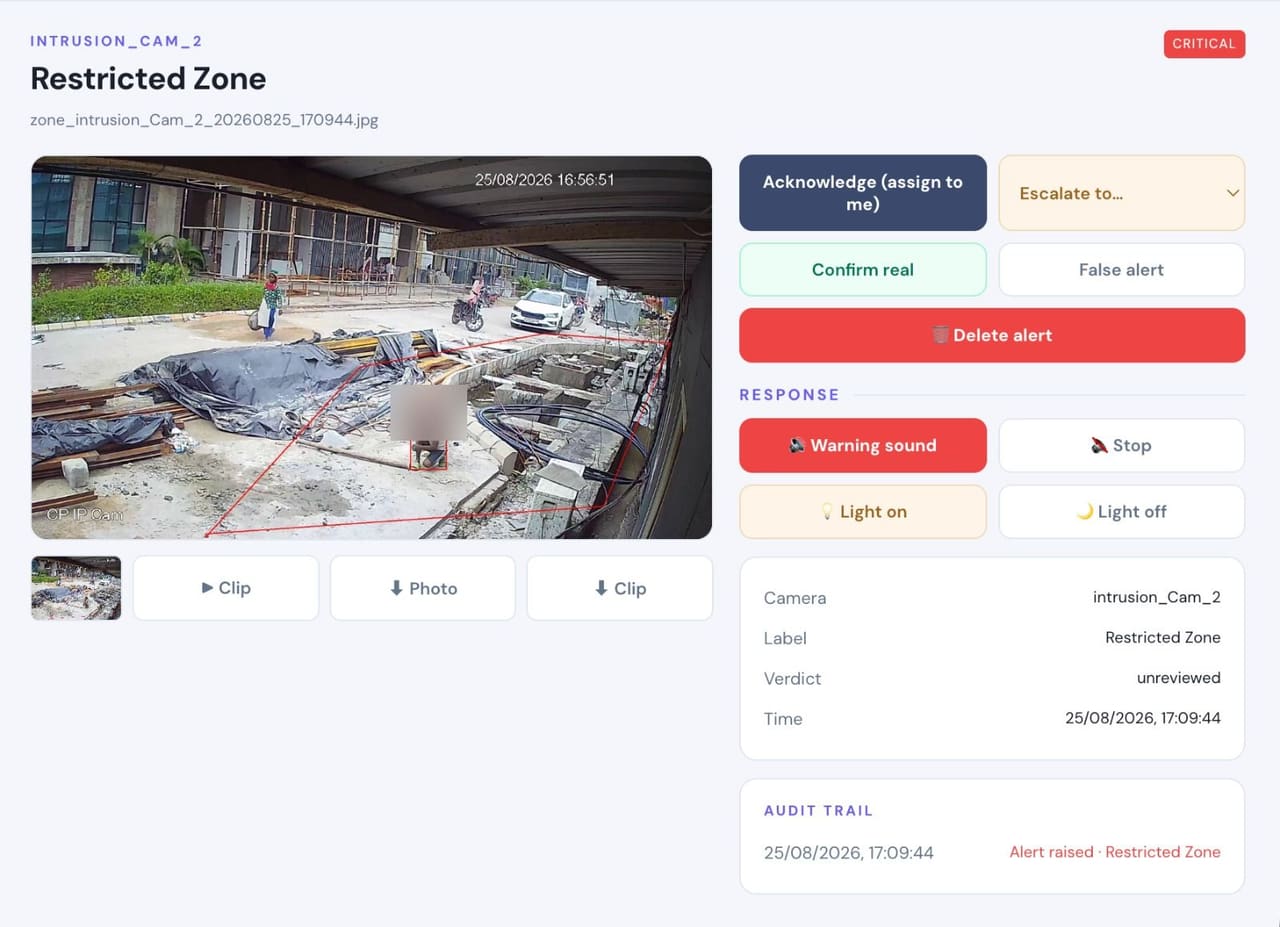
- Detects
- Any person inside a marked area during the hours it is off limits.
- Where it helps
- Plant rooms, racks, cabinets, dispatch bays and any area drawn as a zone.
- Example
- A person stands at the stock racks after the permitted window has closed.
- Configurable response
- Local voice warning in that area · light · silent alert and clip to the desk.
Banned Person / Watchlist
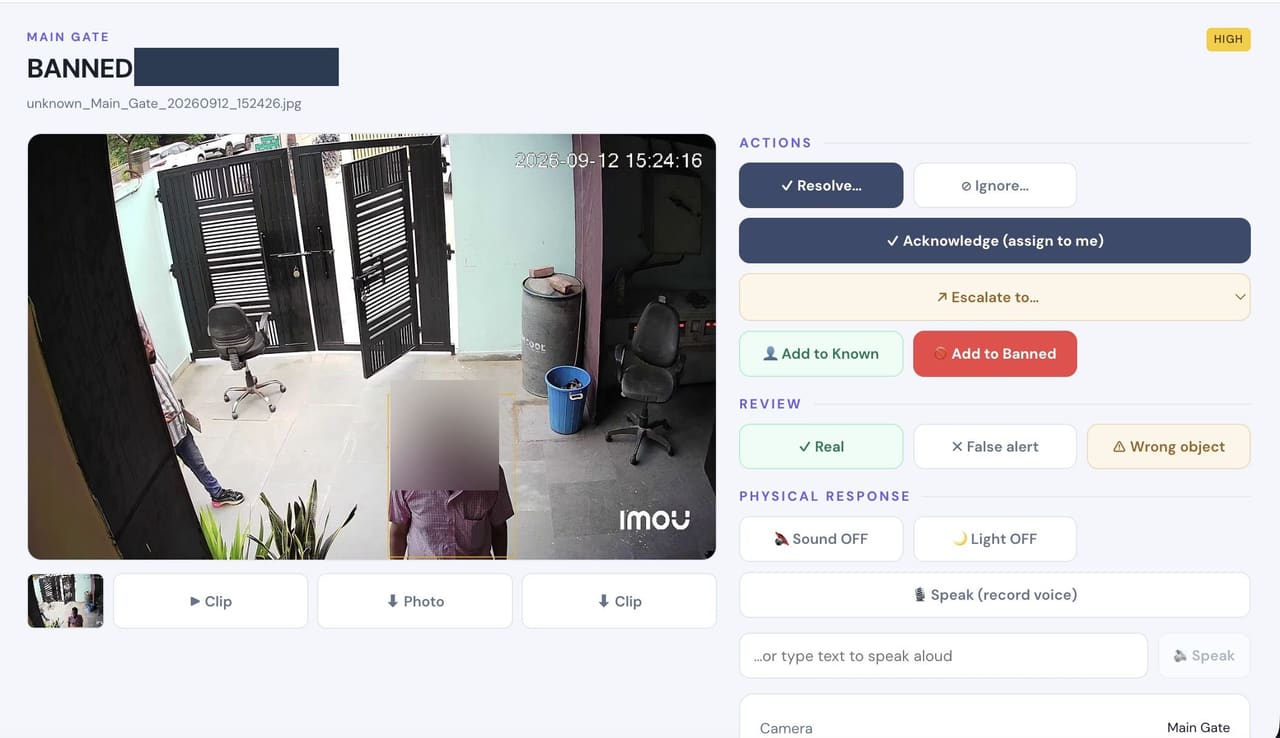
- Detects
- A likely match against a watchlist you maintain on your own appliance.
- Where it helps
- Main gate, reception and visitor entrances.
- Example
- A dismissed employee or barred contractor returns to the site.
- Configurable response
- Alert with the matched photo so the desk confirms before acting.
Perimeter Intrusion
- Detects
- A person crossing a boundary line or present in an area where nobody should be.
- Where it helps
- Walls, rear gates, parking, service entries and open yards.
- Example
- Movement along the rear boundary after dark, away from any path.
- Configurable response
- Voice warning · floodlight · siren where the site permits · alert with clip.
Loitering
- Detects
- A person lingering in one area for longer than the time you set.
- Where it helps
- Gates, racks, parking, ATMs, entrances and quiet corridors.
- Example
- Someone waits beside the boundary for several minutes without approaching the gate.
- Configurable response
- Escalating alert · voice warning · evidence clip.
SOS / Panic Alert
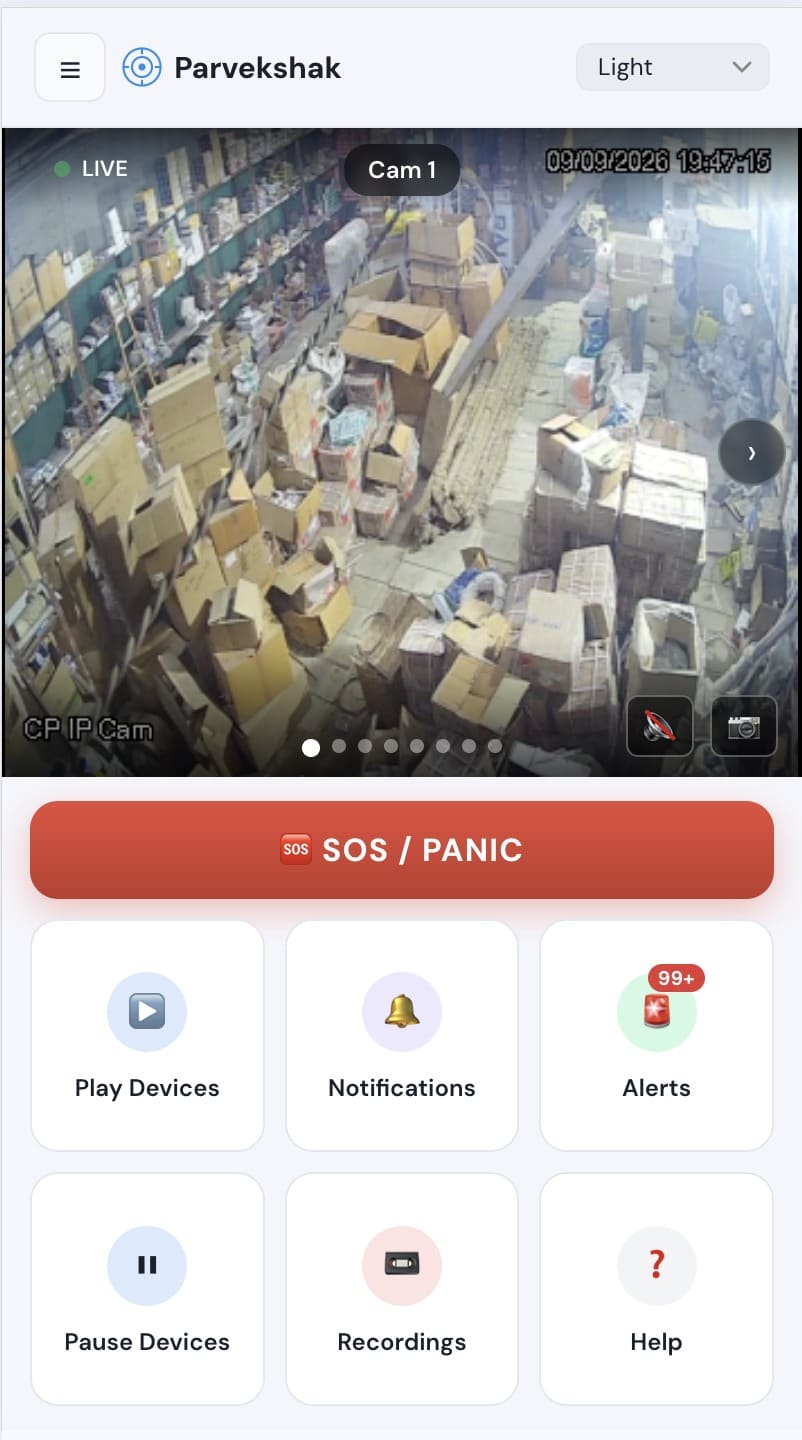
- Detects
- Not a detection — a person raises the alarm themselves, from the mobile app or the console.
- Where it helps
- Reception, cash offices, wards, the security desk, or simply from a phone in a pocket.
- Example
- A staff member at reception is threatened and needs help without announcing it out loud.
- Configurable response
- Immediate alert to everyone on the list — people on site and remote recipients — with the site and time.
Camera Tamper
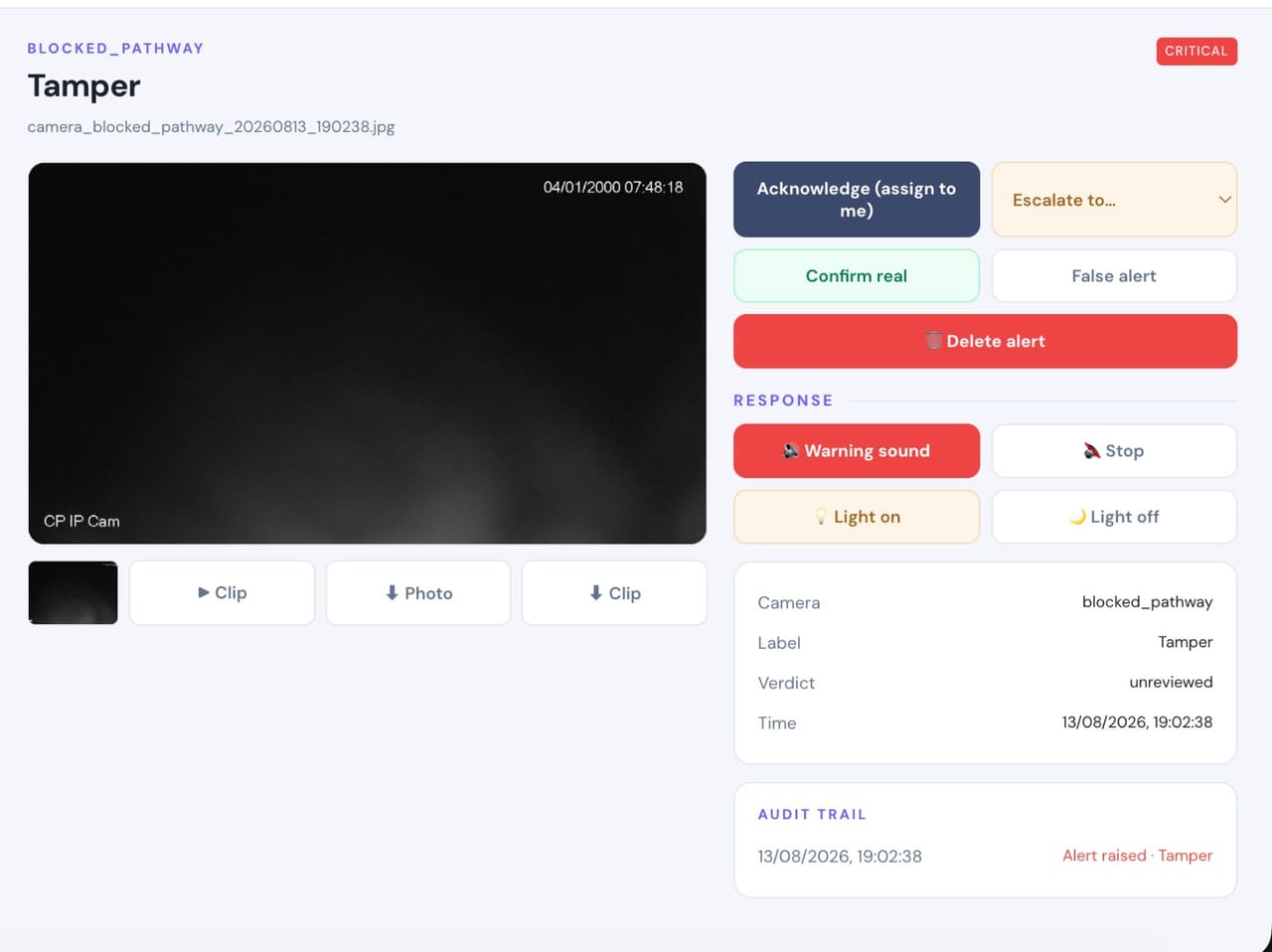
- Detects
- A camera deliberately blocked, covered, sprayed or turned away from what it was watching.
- Where it helps
- Every camera, but it matters most on gates, stores and cash areas.
- Example
- A camera view goes black shortly before an attempt on the premises.
- Configurable response
- Immediate critical alert · warning sound and light · clip retained.
Camera Health
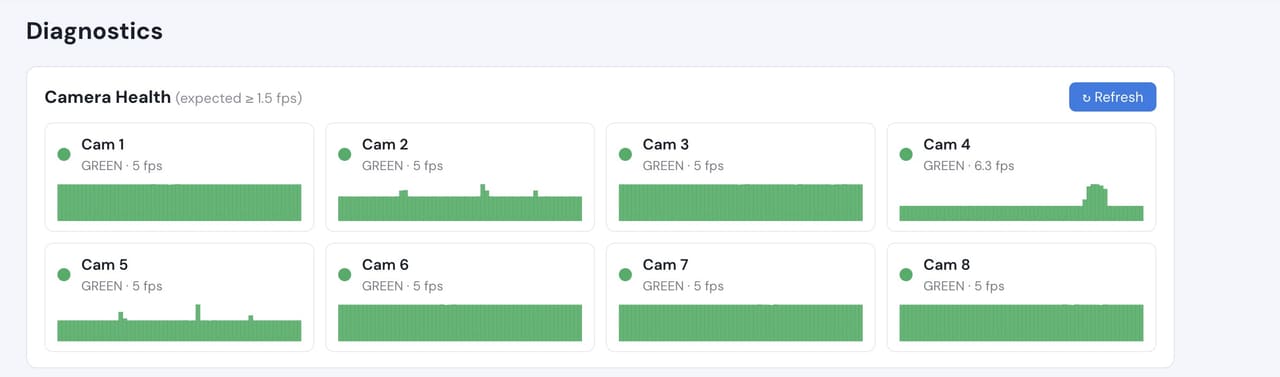
- Detects
- A camera that has dropped off the network, lost frame rate or stopped delivering usable images.
- Where it helps
- Across every camera on the system, continuously.
- Example
- A camera quietly fails on a Friday and nobody notices until footage is needed.
- Configurable response
- Health status per camera on the console · alert when a camera degrades or disconnects.
Safety
A visual layer that watches for what hurts people, alongside your existing systems.Fire Detection
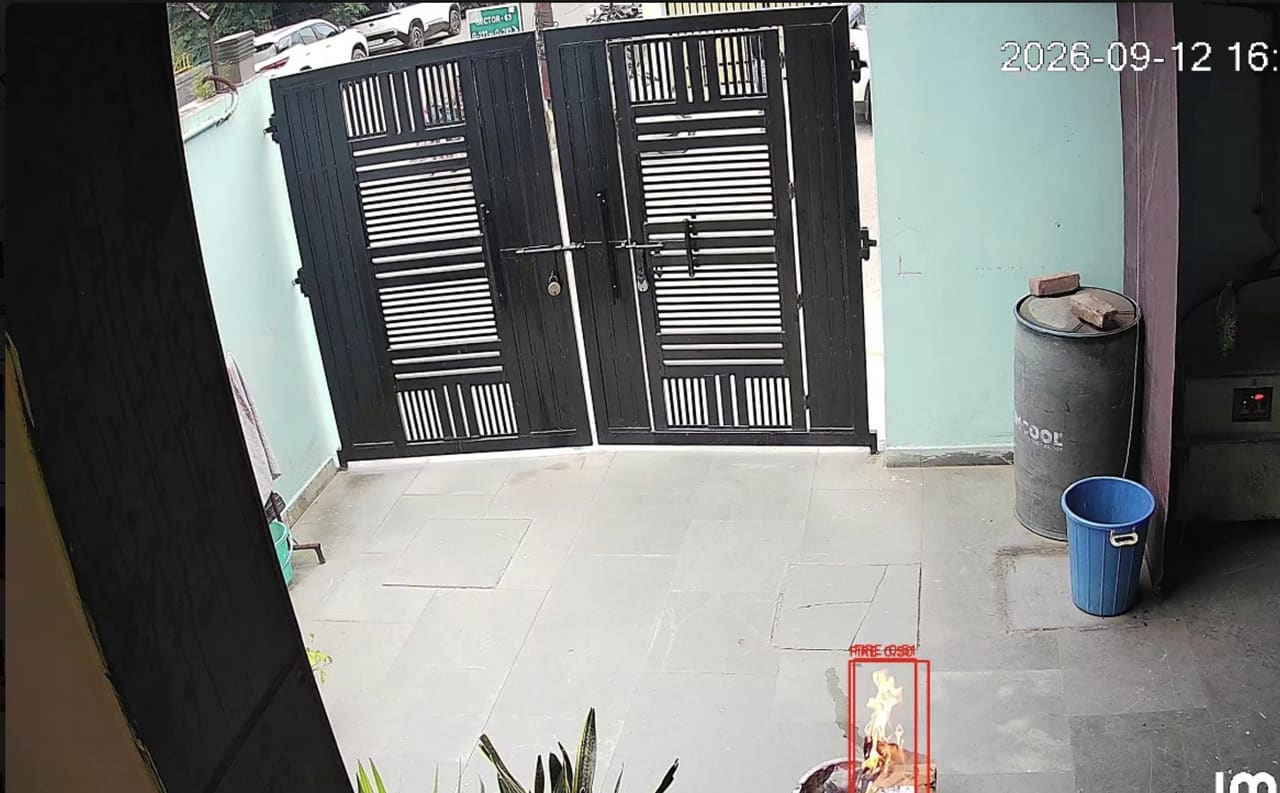
- Detects
- Visible flame in the camera view.
- Where it helps
- Plant rooms, stores, kitchens, parking, high ceilings and open yards where heat takes minutes to reach a detector.
- Example
- A fire starts in a store room overnight with nobody on that floor.
- Configurable response
- Critical alert with clip · maintenance notified · hooter where configured.
Smoke Detection
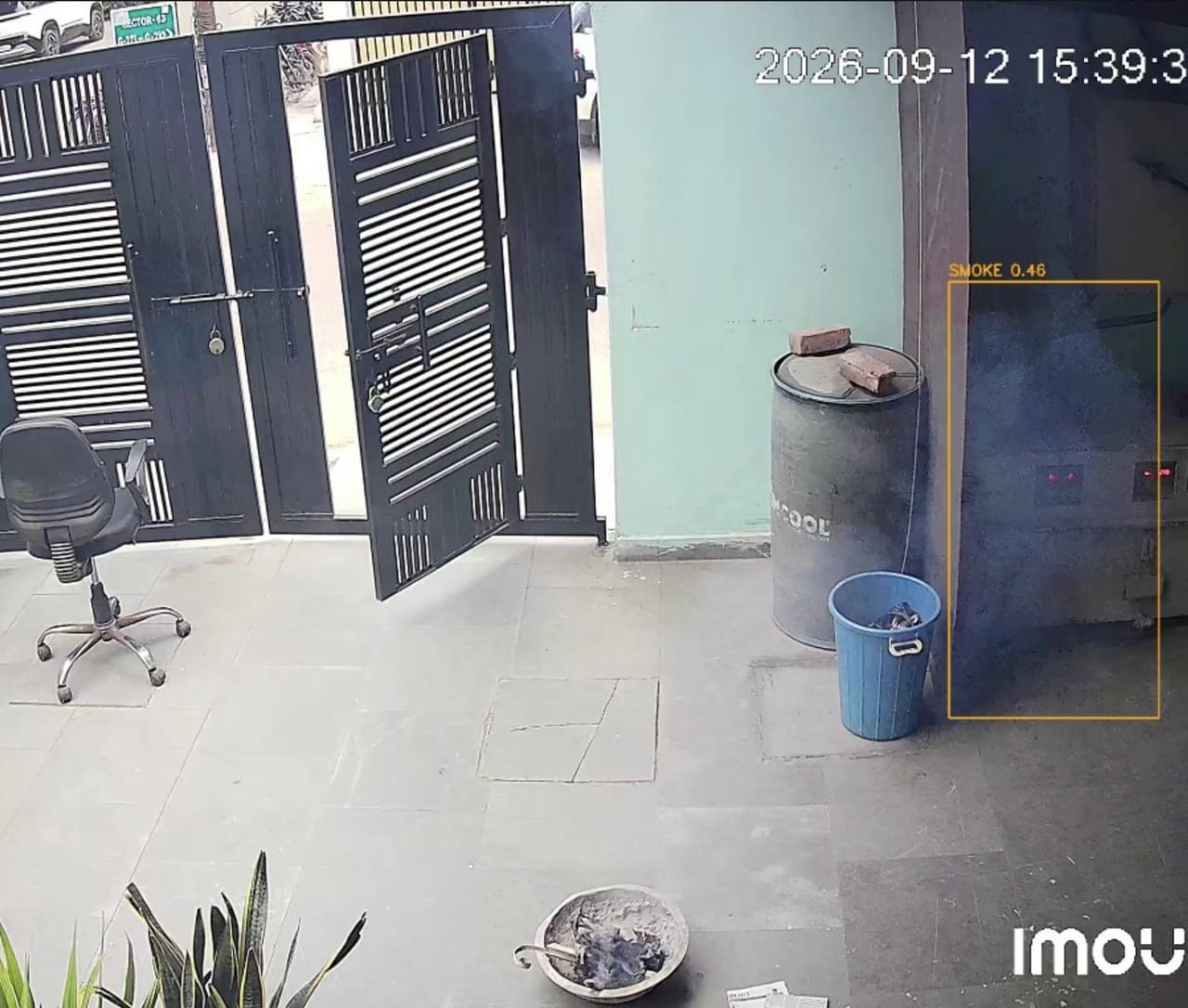
- Detects
- Visible smoke and haze building in the view.
- Where it helps
- Plant rooms, electrical panels, DG rooms, stores and parking.
- Example
- Smoke gathers near an electrical panel before any flame appears.
- Configurable response
- Critical alert with clip · maintenance notified.
PPE Compliance
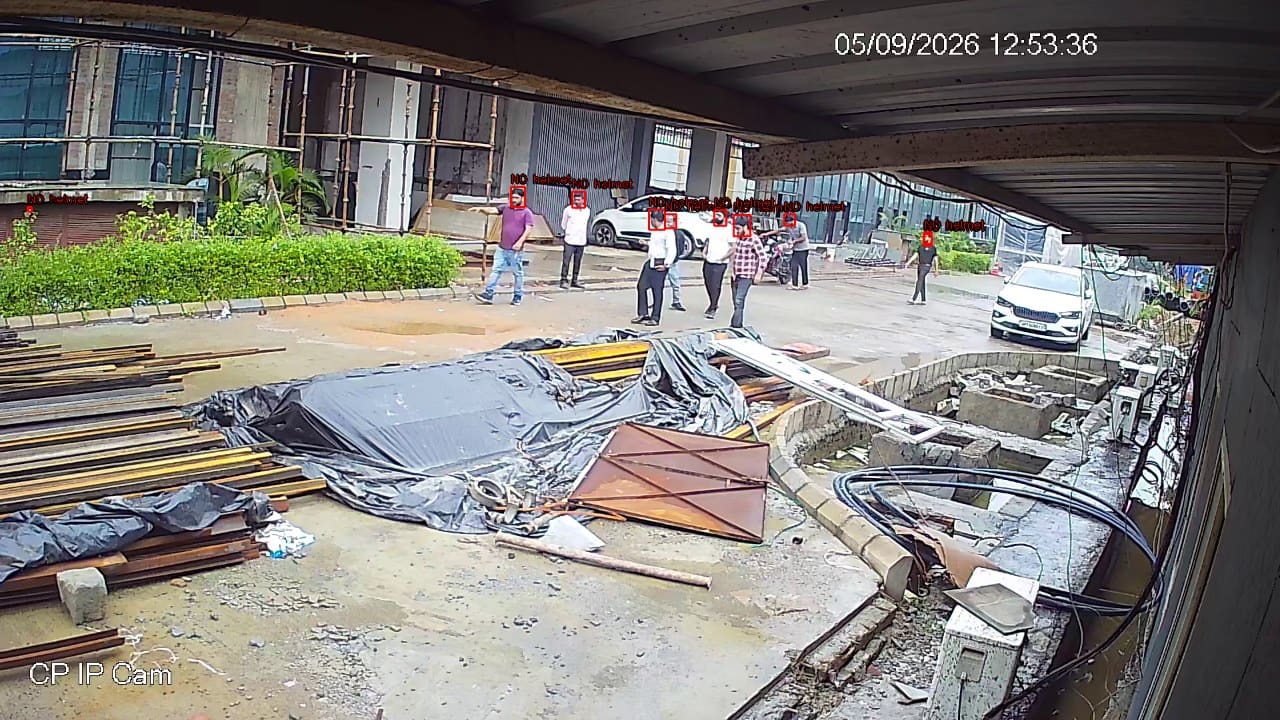
- Detects
- A person in a marked zone without the required helmet, vest, gloves or mask.
- Where it helps
- Shop floors, construction areas, plant rooms and marked safety zones.
- Example
- A worker enters the shop floor without a helmet at shift change.
- Configurable response
- Voice reminder in the zone · supervisor alert · compliance report by zone and shift.
Person Fall Detection
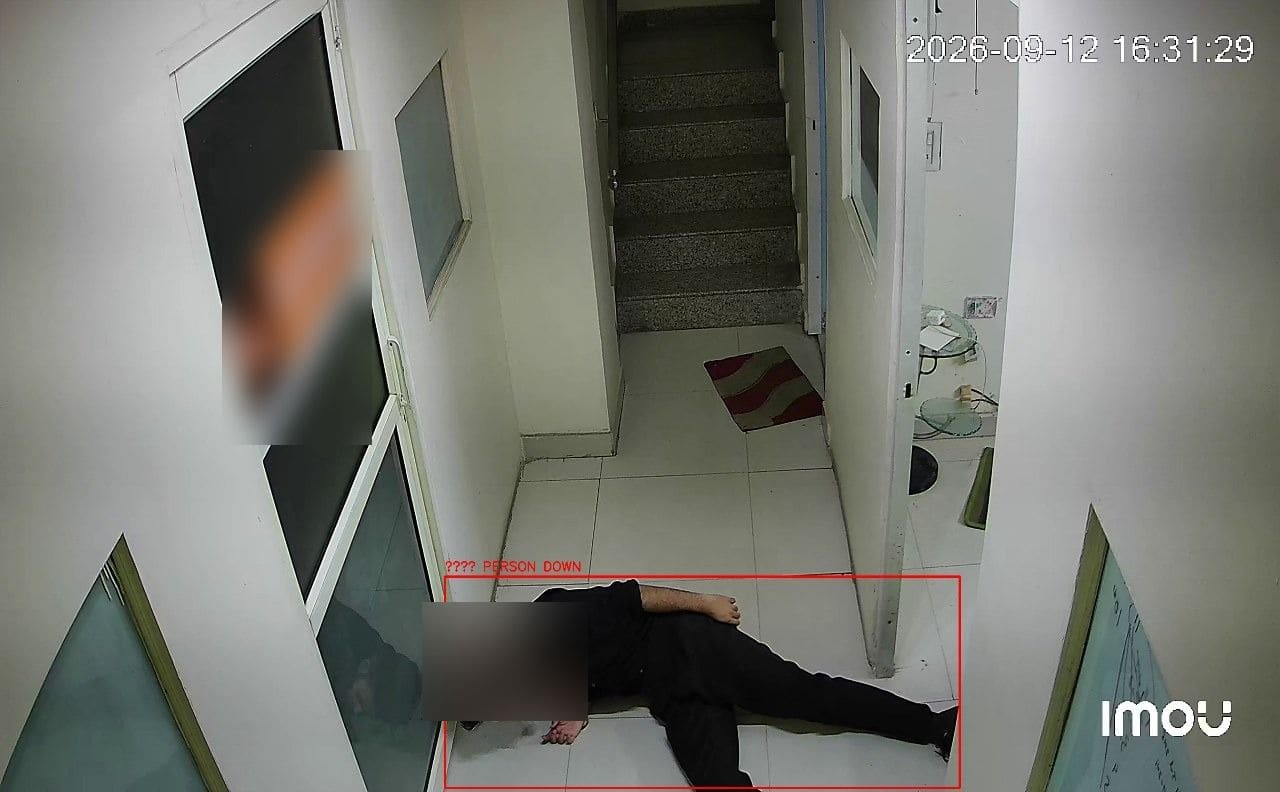
- Detects
- A person collapsing or lying on the floor, from skeleton-based analysis.
- Where it helps
- Stairwells, basements, wards, night shifts and plant rooms where nobody may be watching.
- Example
- A lone operator collapses in a plant room during a night shift.
- Configurable response
- Immediate supervisor alert with clip · voice announcement where configured.
Crowd Detection
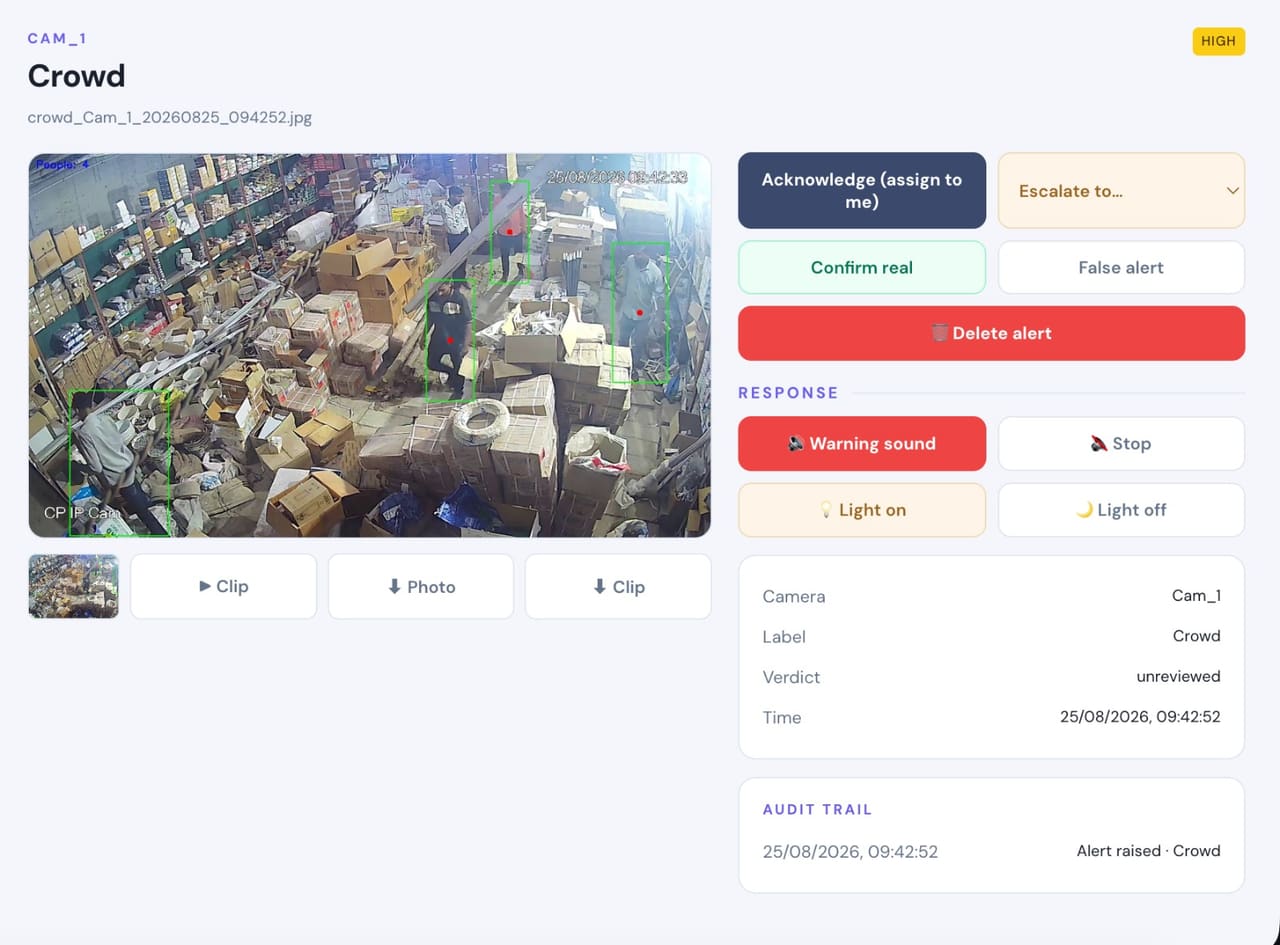
- Detects
- More people in a zone than the headcount limit you set.
- Where it helps
- Gates, lobbies, canteens, OPD waiting areas and work bays.
- Example
- A gathering builds at the main gate during a shift change.
- Configurable response
- Alert with the live count and clip before it becomes an incident.
Machine Operator Missing
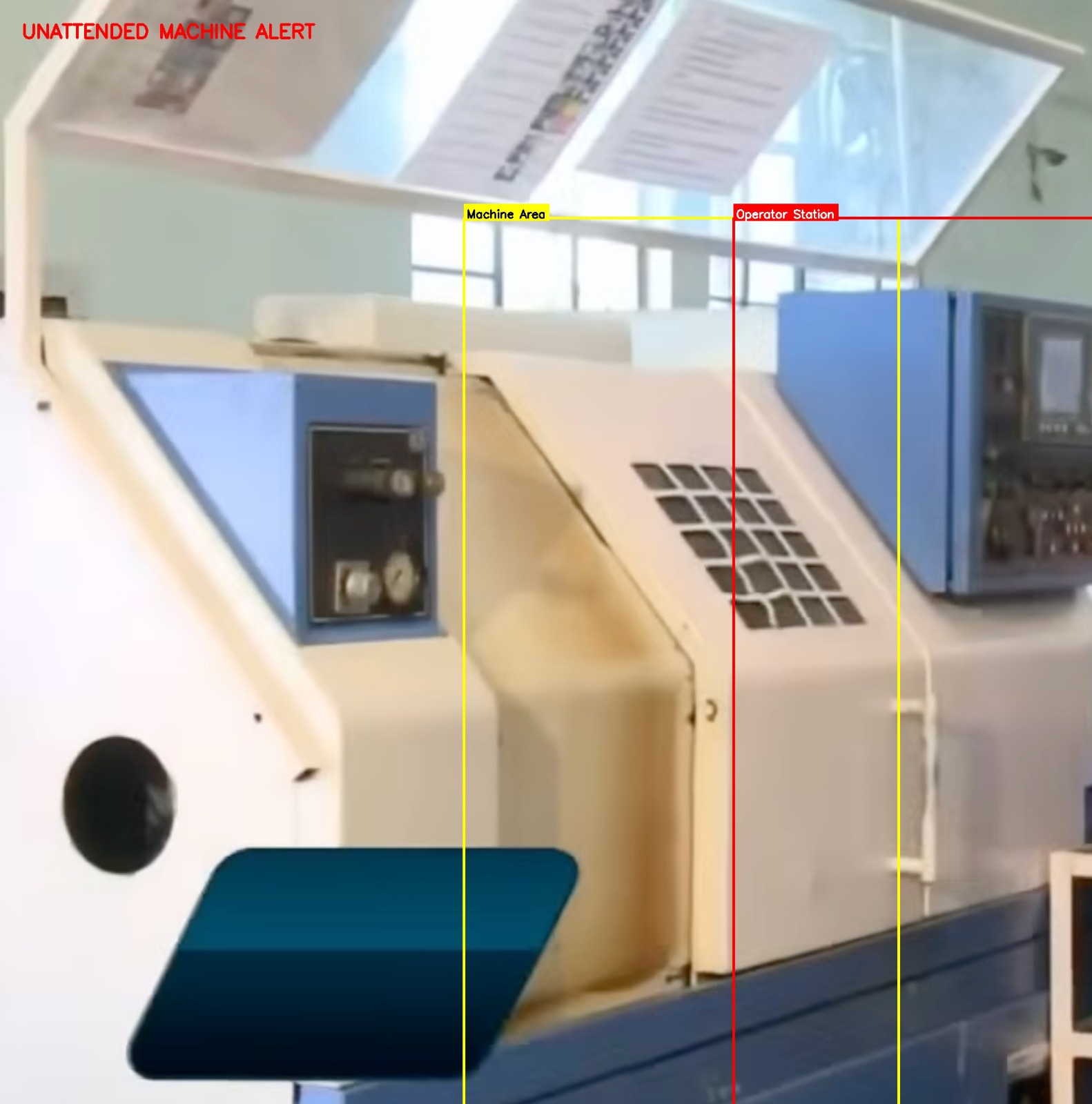
- Detects
- A machine running with nobody at the operating position.
- Where it helps
- Shop floors, production lines, presses, packing machines and any station that should not run unattended.
- Example
- An operator steps away mid-cycle and the machine keeps running with nobody watching it.
- Configurable response
- Supervisor alert with clip · voice reminder in the area where configured.
Operations
The same cameras, one enrolment, and the records the site actually needs.Attendance
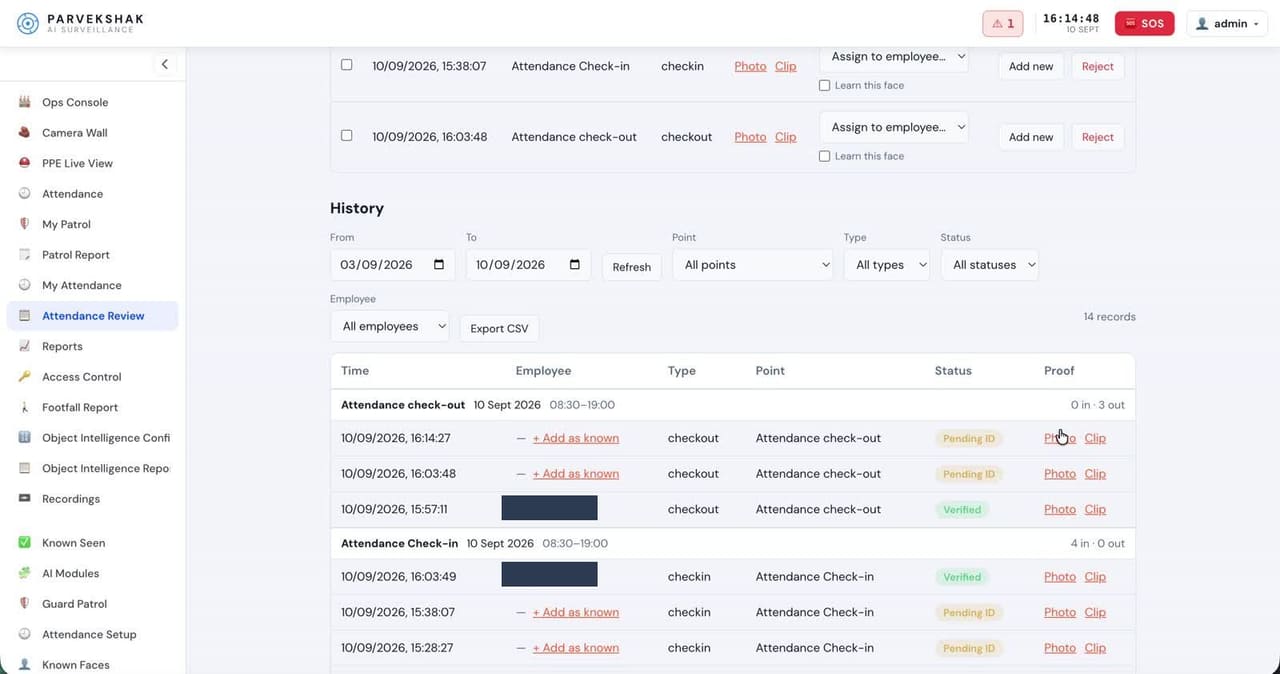
- Detects
- Enrolled staff at entry cameras, for check-in, check-out and presence.
- Where it helps
- Main gate, reception and floor entrances.
- Example
- An unknown face appears in the feed; your admin taps Add Employee and attendance starts from the next day.
- Configurable response
- Attendance and presence report · verification prompt when a match is not confident enough.
Guard Patrol
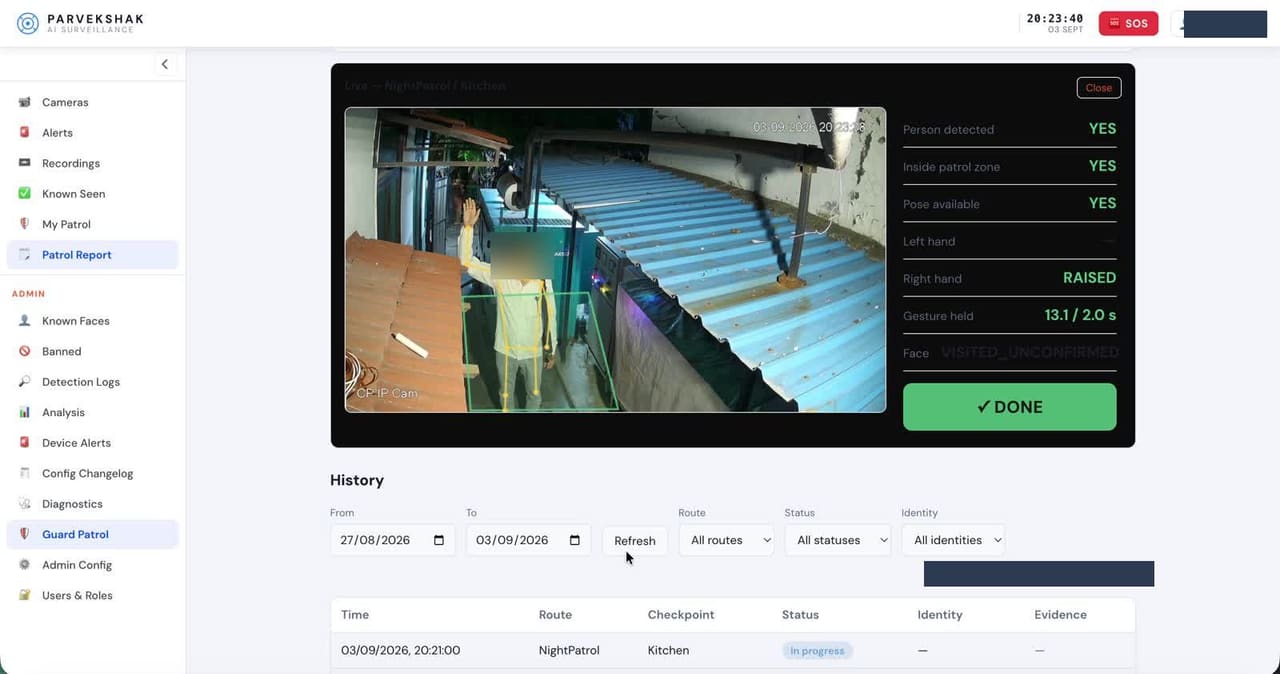
- Detects
- The enrolled guard at each checkpoint camera on every round.
- Where it helps
- Checkpoint cameras along the patrol route.
- Example
- A checkpoint is missed on the 3 AM round.
- Configurable response
- Supervisor alert on a missed checkpoint · patrol log of who was where, and when.
Vehicle In / Out Counting
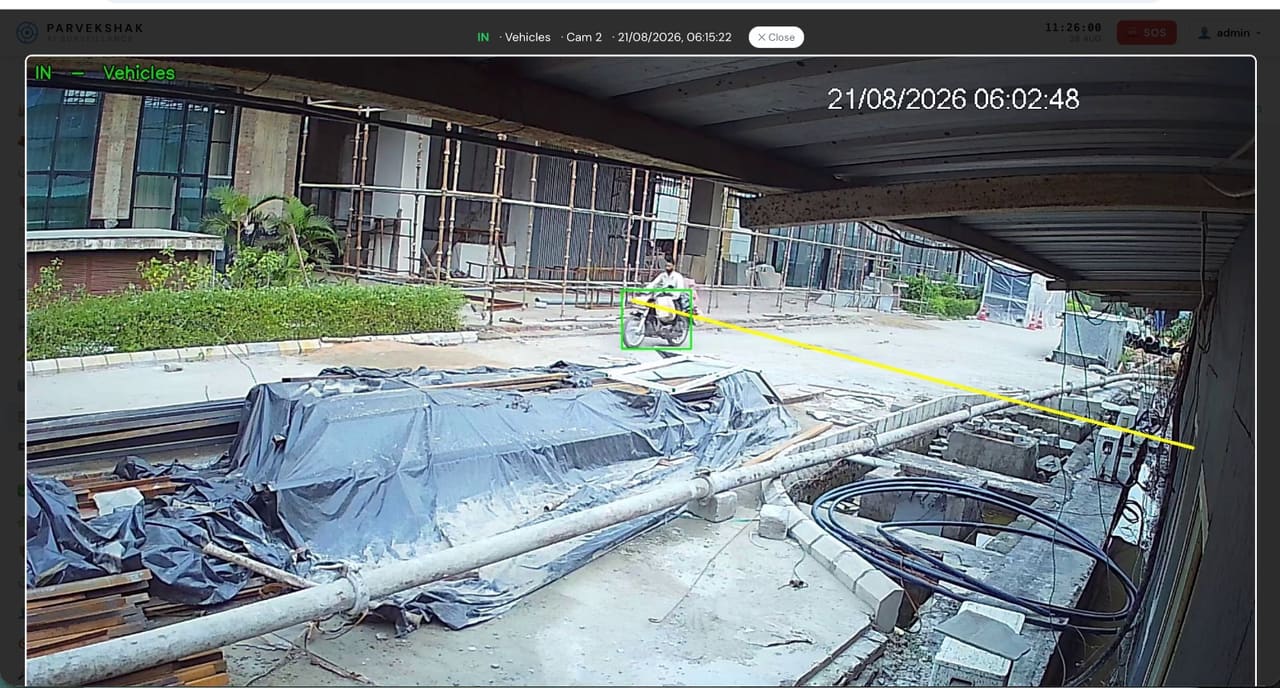
- Detects
- Vehicles crossing a line at the gate or parking entry, in and out.
- Where it helps
- Main gate, parking entries and service gates.
- Example
- A vehicle leaves the yard at an hour with no scheduled dispatch.
- Configurable response
- Timestamped frame per crossing · gate movement and turnaround report.
Vehicle Plate Recognition (ANPR)
- Detects
- The number plate of a vehicle at the gate, read and logged against the crossing.
- Where it helps
- Main gates, parking entries and dispatch gates — where the camera, lens, angle and lighting suit plate capture.
- Example
- A vehicle enters at night and you need the plate, not just a count and a frame.
- Configurable response
- Plate logged with the entry · searchable gate log · alert on a listed plate where configured.
Box Counting
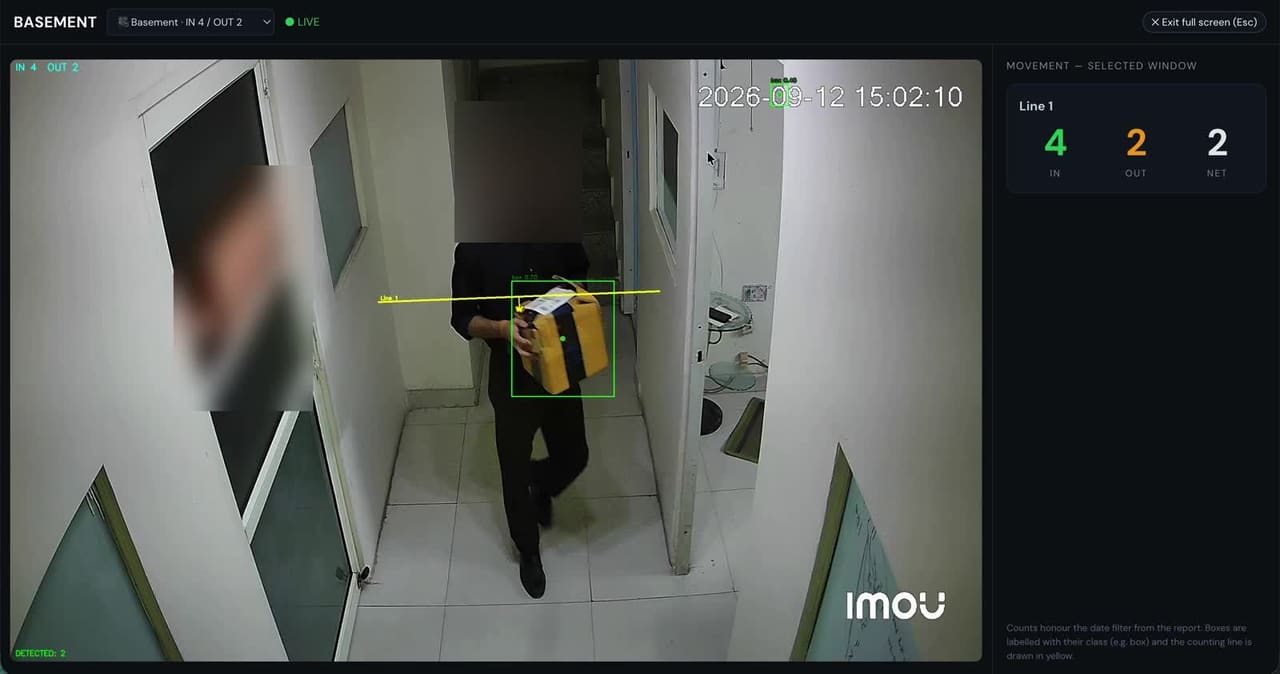
- Detects
- Boxes crossing a virtual line on the dock or stores camera, counted once each.
- Where it helps
- Loading docks, dispatch bays and stores exits.
- Example
- The tally for a truck does not match the dispatch note.
- Configurable response
- Count per truck and per shift · dispatch report, no manual clicker.
Seat Monitoring
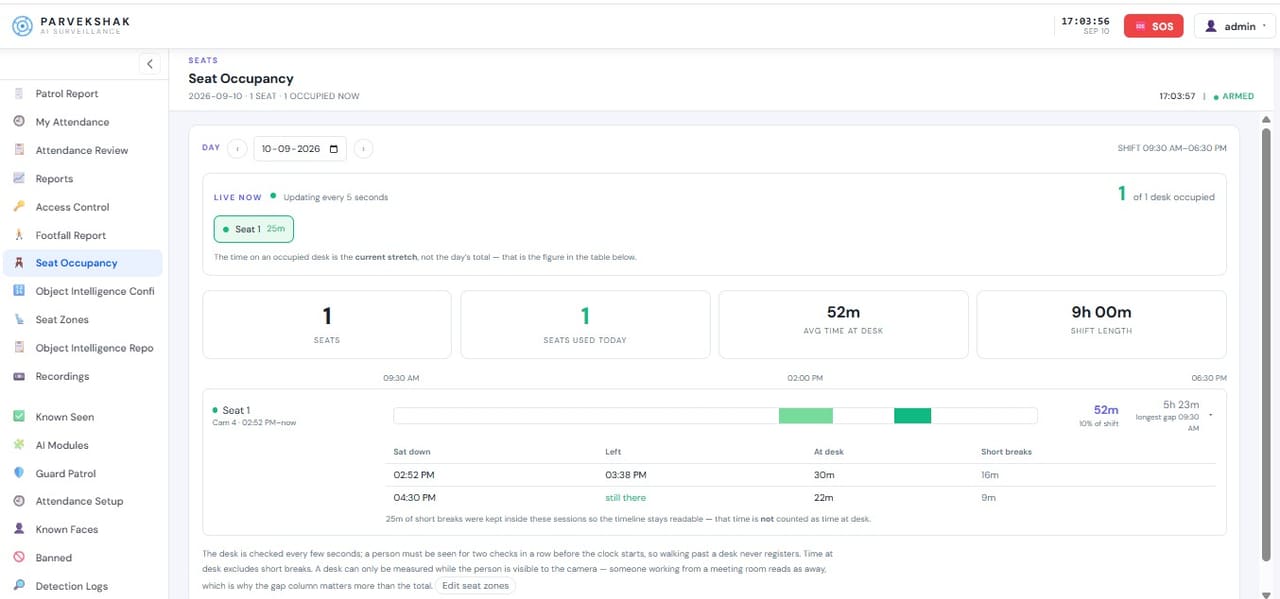
- Detects
- Whether a designated post is occupied or empty.
- Where it helps
- Security desk, reception, nurse station and control room.
- Example
- The security desk stays empty longer than the allowed window.
- Configurable response
- Alert when empty beyond the limit · occupancy report per shift.
Occupancy Monitoring
- Detects
- How many people are in a zone over time.
- Where it helps
- Waiting areas, work bays, canteens and meeting spaces.
- Example
- A waiting area regularly exceeds comfortable capacity at the same hour.
- Configurable response
- Occupancy trend report per zone and shift.
Reports
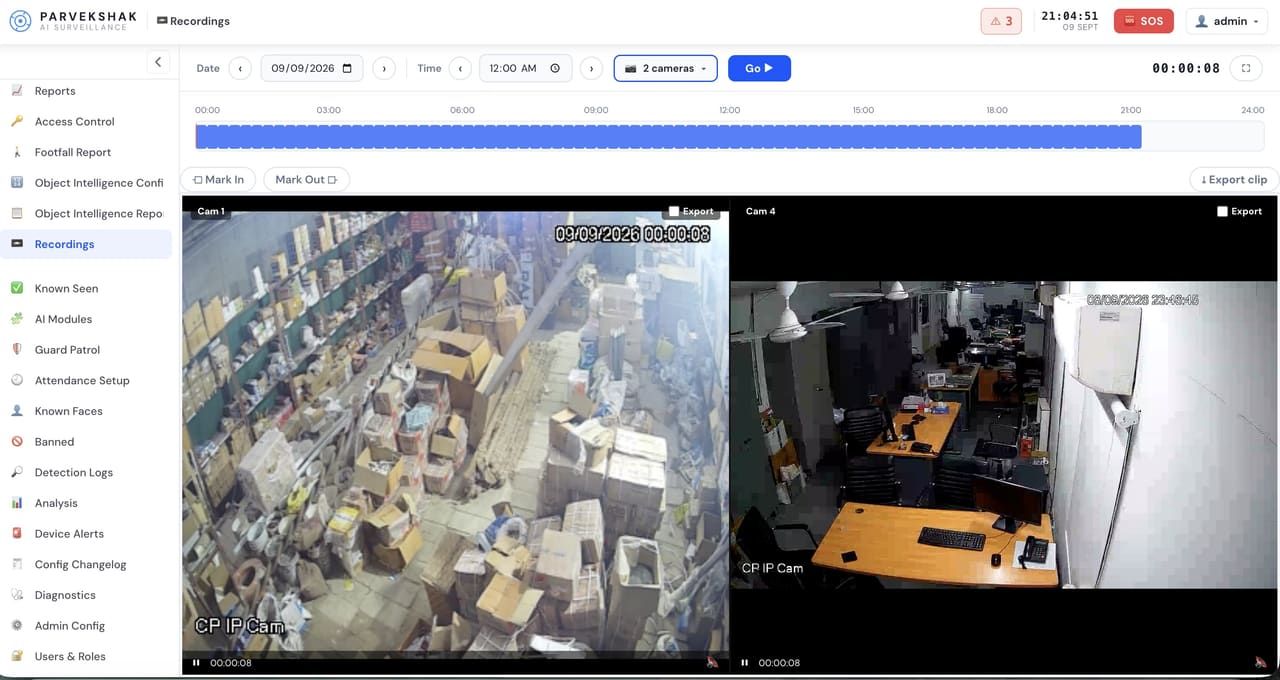
- Detects
- Every event the appliance records, kept on site.
- Where it helps
- Across all cameras and capabilities in use.
- Example
- A month-end review of attendance, patrols, counting and compliance.
- Configurable response
- Compliance, attendance, counting and operational records from the console.
Detection is only the first step
An alert on a phone is not much use at 3 AM if nothing happens on site. Parvekshak can trigger the response the premises allows — a voice warning in that area, the light, the siren — and keep the evidence either way.
- AI detects On the appliance
- Voice warning In that area
- Floodlight / siren Where permitted
- Mobile alert With the frame
- Evidence Clip kept on site
Speaker / Voice Warning
A local warning in the area that was breached — challenging the person where they are, not across the whole site.
Siren / Hooter
Audible escalation where the site permits it, linked to confirmed events rather than every movement.
Floodlight / Light
The area lights up as configured, deterring the person and giving the camera a usable image.
Mobile Alert
A notification to the security desk, owner or management with the frame that triggered it.
Evidence Clip
The video around the event, kept on the appliance for verification and follow-up.
Reports
Compliance, attendance, counting and operational records available from the console.
Response devices are installed and configured per site. Sirens and floodlights are used only where the premises permits them.
How the installation runs
Site Survey & Security Assessment
We walk the site with your team and map risks, coverage, blind spots, lighting and the infrastructure already in place.
Camera Placement & Coverage Design
Camera locations, zones, network routes, storage and response points are designed before anything is bought.
Camera Selection or Existing-CCTV Integration
We select the camera type and lens per location, or integrate compatible cameras you already own.
Cabling, PoE & Networking
Cabling, PoE switches, power and mounting, run and terminated cleanly so the system stays serviceable.
Recording & Storage Configuration
Recording and retention are configured on the appliance for the camera count and the period you need.
Parvekshak Appliance Installation
The Security Appliance is installed on site and every camera is brought onto it.
AI Capability Configuration
Zones, rules, permitted hours, enrolled people, schedules and the capabilities your site actually needs.
Response Integration
Speakers, sirens, lights and floodlights wired and linked to the right events, where required.
Testing & Commissioning
Cameras, recording, AI, alerts and every configured response are tested end to end before handover.
Training & Handover
Your security and admin users are trained on the console, the mobile app and what each alert means.
AMC & Support
Ongoing service: health checks, issue resolution, software updates and maintenance under AMC.
Detection and response, on a real site
Real footage from a customer deployment in Noida. At 2:50 AM the AI detected movement on the boundary, sent the homeowner a mobile alert with the frame, switched on the flood lights and played the voice warning. Both intruders left within a minute.
Security solutions designed around your site
Every Parvekshak deployment is configured around your cameras, your site, your coverage requirements and the AI you actually need — so we survey first and quote second, rather than publishing a figure that would be wrong for most premises.
CCTV installation across NCR
Installation, upgrades, repair and AMC across Noida, Greater Noida, Ghaziabad, Delhi, Gurgaon, Faridabad.
Frequently Asked Questions
Do you supply the cameras, or do I buy them?
Either. We usually supply and install the cameras selected during the survey, but we also install customer-supplied cameras and regularly integrate compatible cameras that are already on the wall.
How long does an installation take?
A typical home or small office job of four to eight cameras is completed in a day, including cabling, configuration and a walkthrough of the app. Larger industrial sites are phased and scheduled around your operations.
Is the AI extra, or part of the installation?
AI security is part of the Parvekshak deployment, not a later upgrade. Which capabilities are enabled depends on the site — a home needs intruder and perimeter detection; a factory may also need PPE, fire and counting.
What about recording? Do I need an NVR as well?
No. The Parvekshak Security Appliance records and plays back the camera streams alongside the AI, alerts and management. Camera count, retention and storage are specified per configuration.
Can you upgrade an existing CCTV system instead of replacing it?
Often yes. Compatible IP/RTSP cameras in serviceable condition can be connected to the appliance and gain AI detection, alerts and reporting. The survey tells you what can be kept and what is worth replacing.
Do you handle service after installation?
Yes — commissioning, issue resolution, health checks, software updates and annual maintenance contracts. Support is part of the deployment.