One Appliance. NVR + AI + Security Management.
The central appliance for camera recording, AI analytics, event management, playback and evidence, and security operations — installed inside your premises, with faces, clips and reports staying on site.
One appliance. NVR + AI + management.
Camera streams, recording, playback, AI events, evidence clips, alerts, reports, users and roles and camera health — centralised in one appliance inside your premises. Faces, clips and reports stay on site.
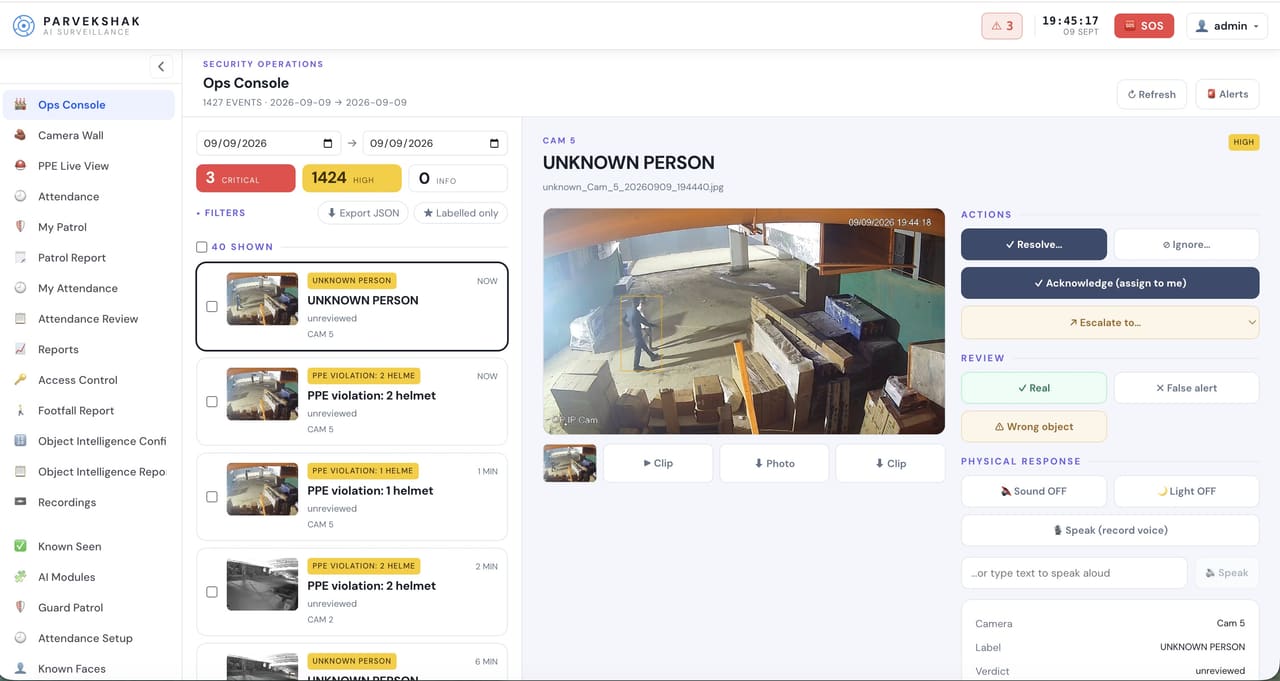
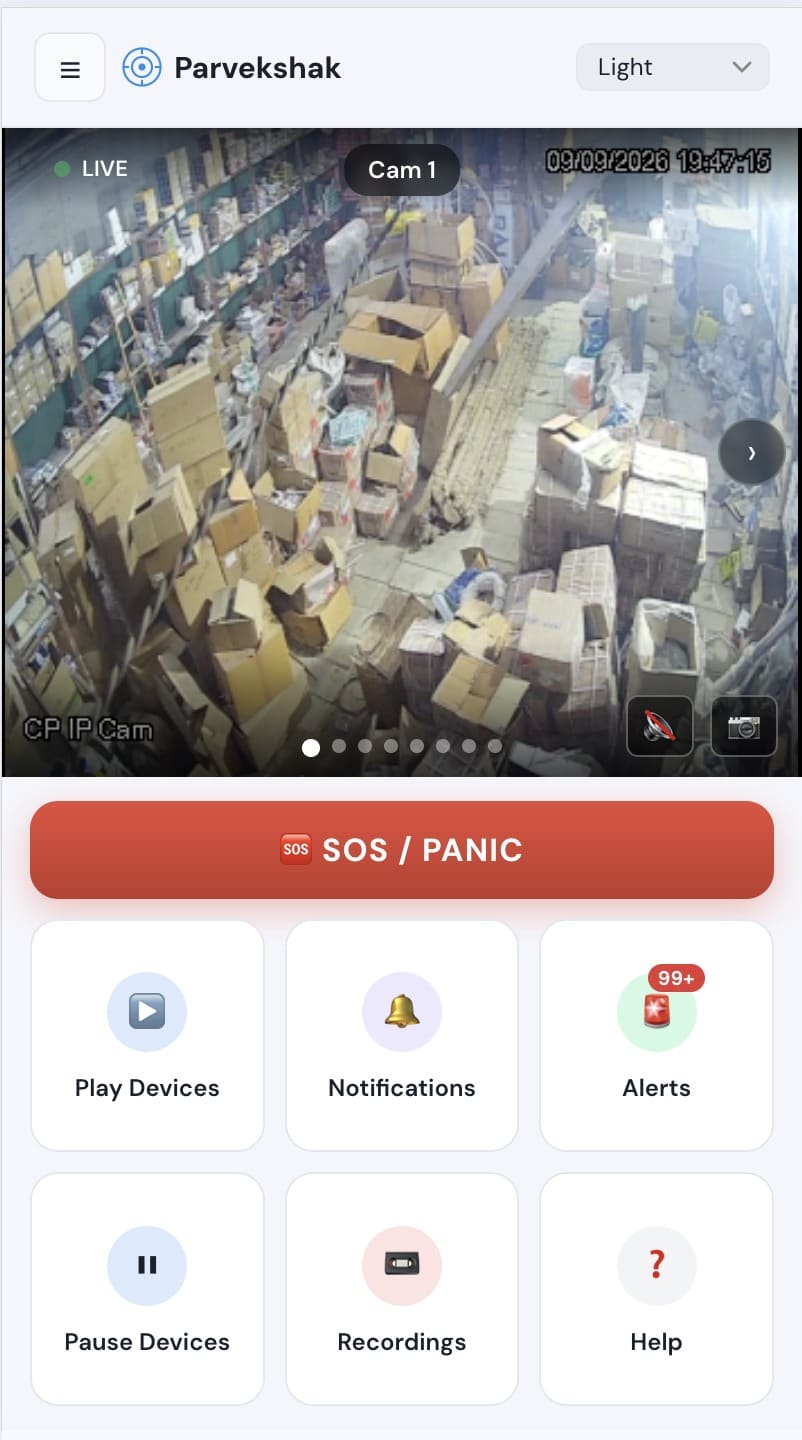
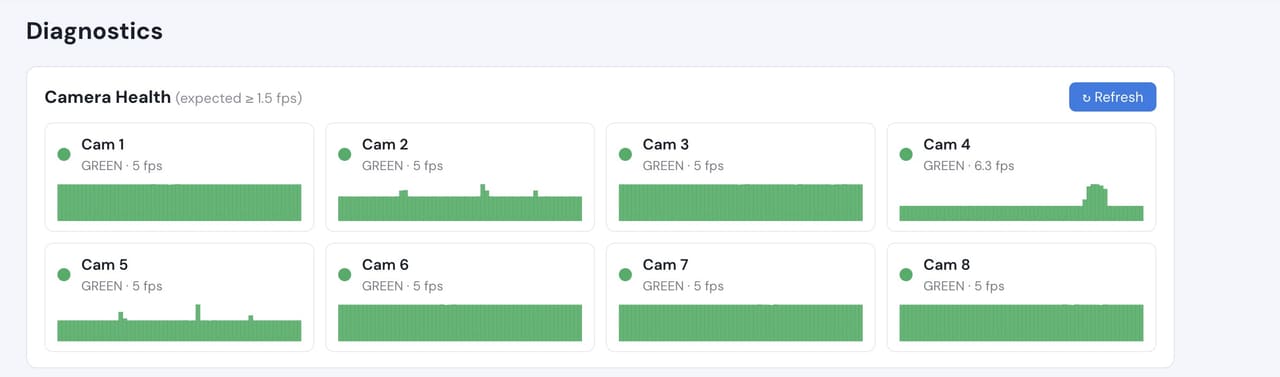
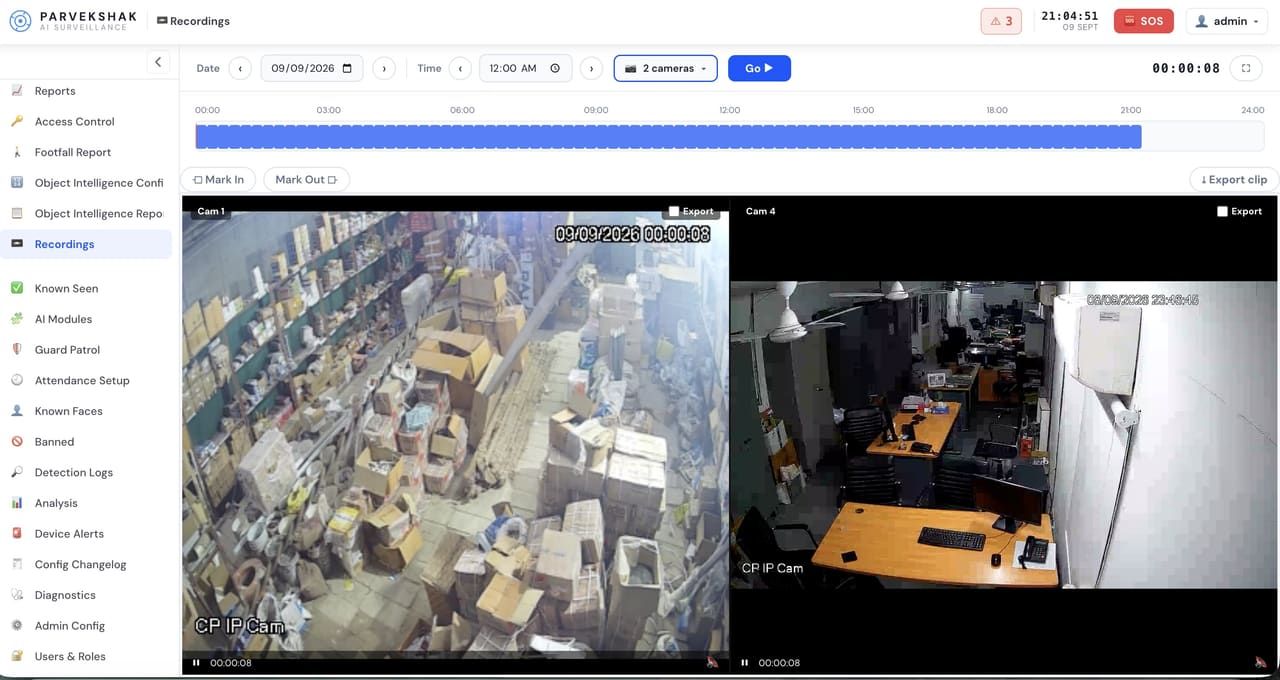
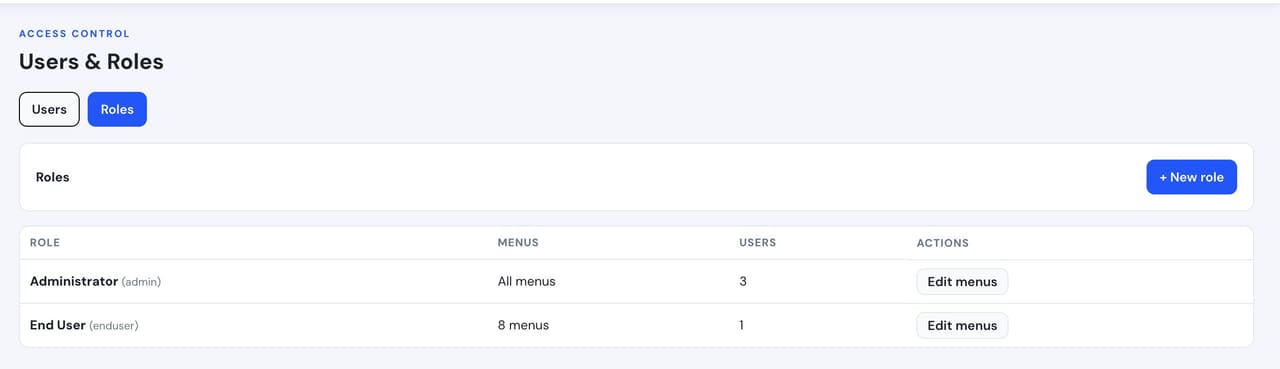
Camera count, retention and storage are specified per appliance configuration and confirmed during the survey.
Ten jobs, one box
Camera stream ingestion
Every camera — IP, Wi-Fi or compatible existing — comes onto one appliance.
Recording & storage
Continuous or event recording with the retention configured for your site.
Playback & evidence clips
Find the moment, export the clip, keep the proof — without leaving the console.
AI detection & rules
Zones, permitted hours, enrolled people and schedules decide what counts as an event.
Alerts & event management
Events reach the mobile app and console with the frame attached, and can be actioned from there.
Users & roles
Who sees which cameras, which alerts and which reports.
Camera health
Tamper, movement and connection loss watched continuously, per camera.
Reports
Compliance, attendance, counting and operational records generated on site.
Response integration
Speakers, sirens and lights driven directly where they are configured.
On-premise processing
Detection and retention stay inside your premises. No mandatory cloud.
Exact camera count, retention and storage capacity are stated per appliance configuration and confirmed during the survey — we do not quote universal capacity figures.
What runs on it
The detection capabilities the appliance can run, grouped by what they are for. Which ones are enabled is a per-site decision made during the survey.
Security
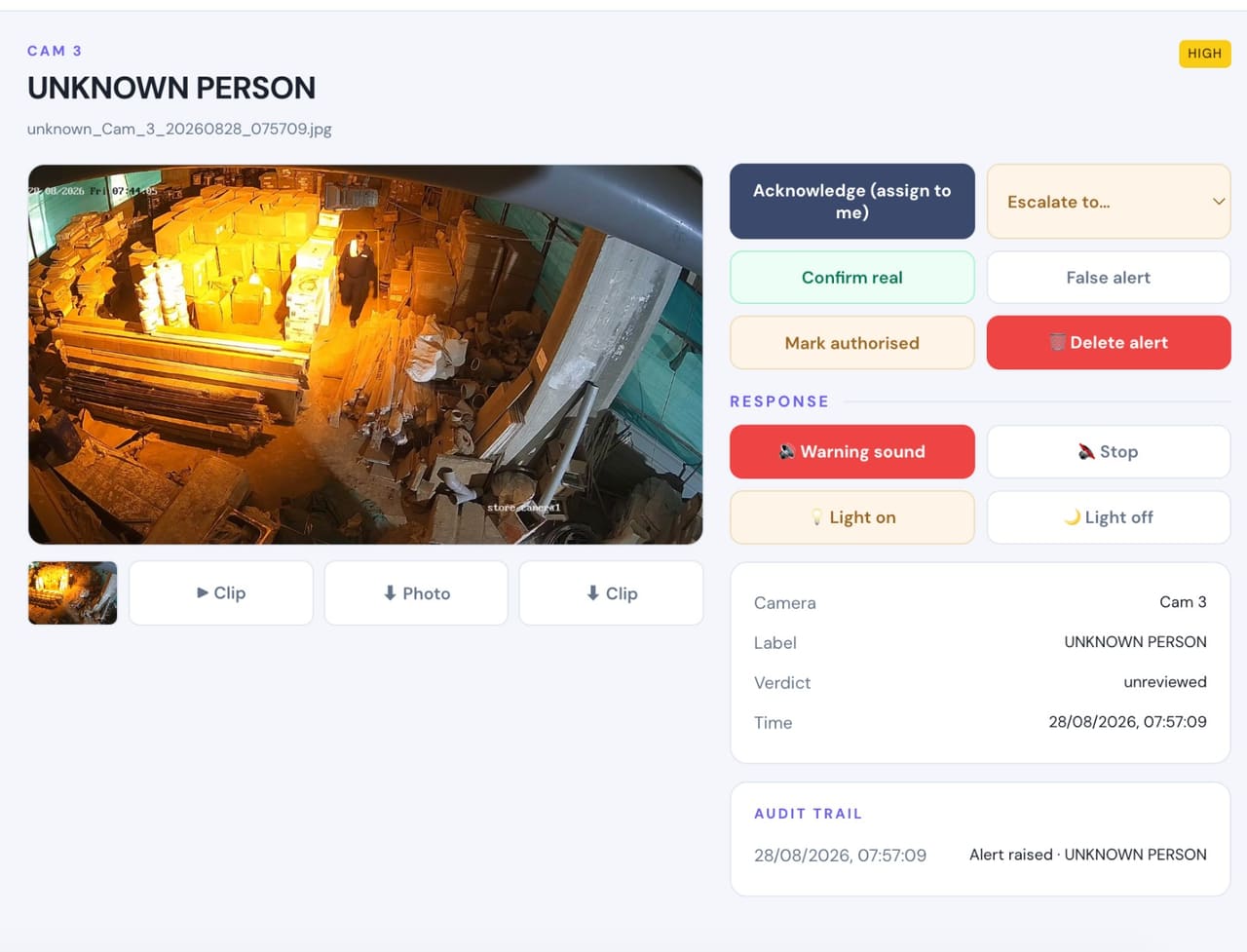
Who is on site, where they are, and whether they should be there.Intruder / Unknown Person Detection
- Detects
- A person whose face is not on your enrolled list of family, staff or contractors.
- Where it helps
- Perimeter, entrances, driveways, yards, store rooms and staff-only floors.
- Example
- Someone climbs the boundary wall at 2:50 AM and walks toward the house.
- Configurable response
- Mobile alert with snapshot and clip · voice warning · floodlight · siren where installed.
Known-Person Recognition
- Detects
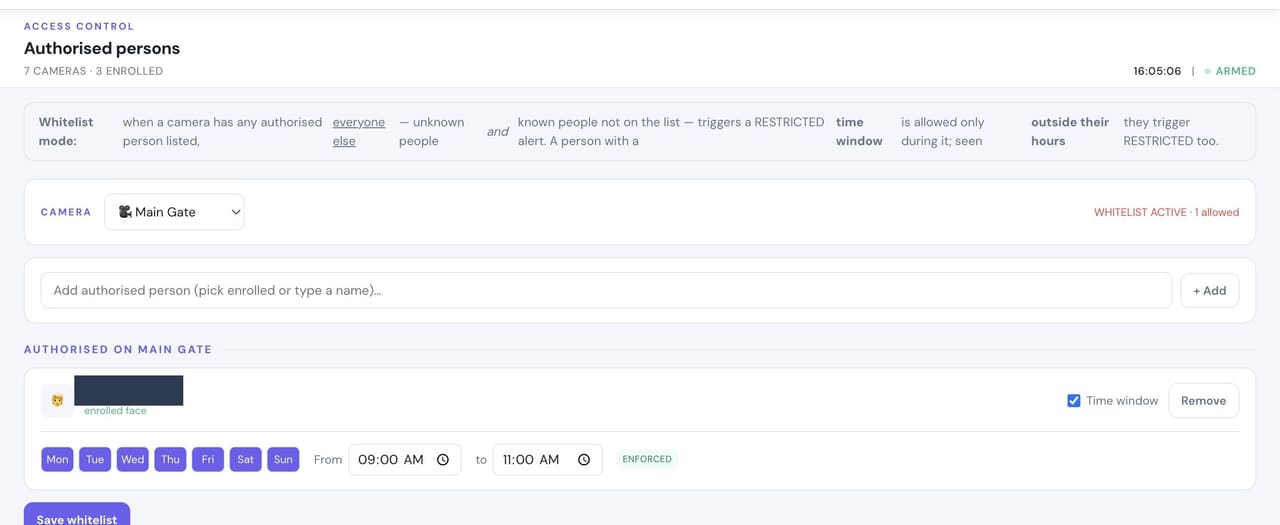
- Enrolled family members, staff and contractors, so routine movement does not raise alarms.
- Where it helps
- Main gate, reception, lobby and entry cameras.
- Example
- Your housekeeper arrives at 9 AM and is recognised instead of flagged as an intruder.
- Configurable response
- Silent log entry · named notification where you want one.
Unauthorised Access
- Detects
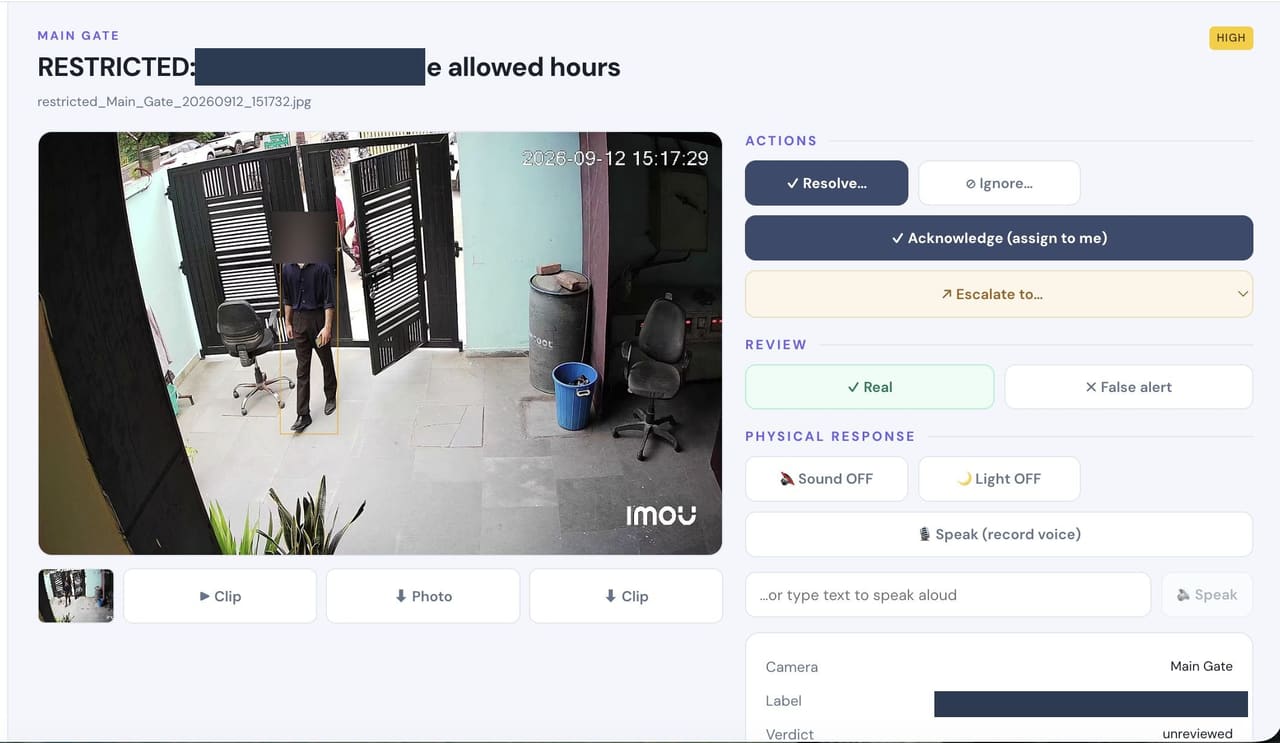
- A known person in a place or at a time they are not permitted.
- Where it helps
- Cash offices, server and records rooms, pharmacy and inventory stores.
- Example
- An enrolled employee enters the stores at 11 PM, outside their permitted hours.
- Configurable response
- Named mobile alert with camera and clip · evidence retained.
Restricted-Zone Monitoring
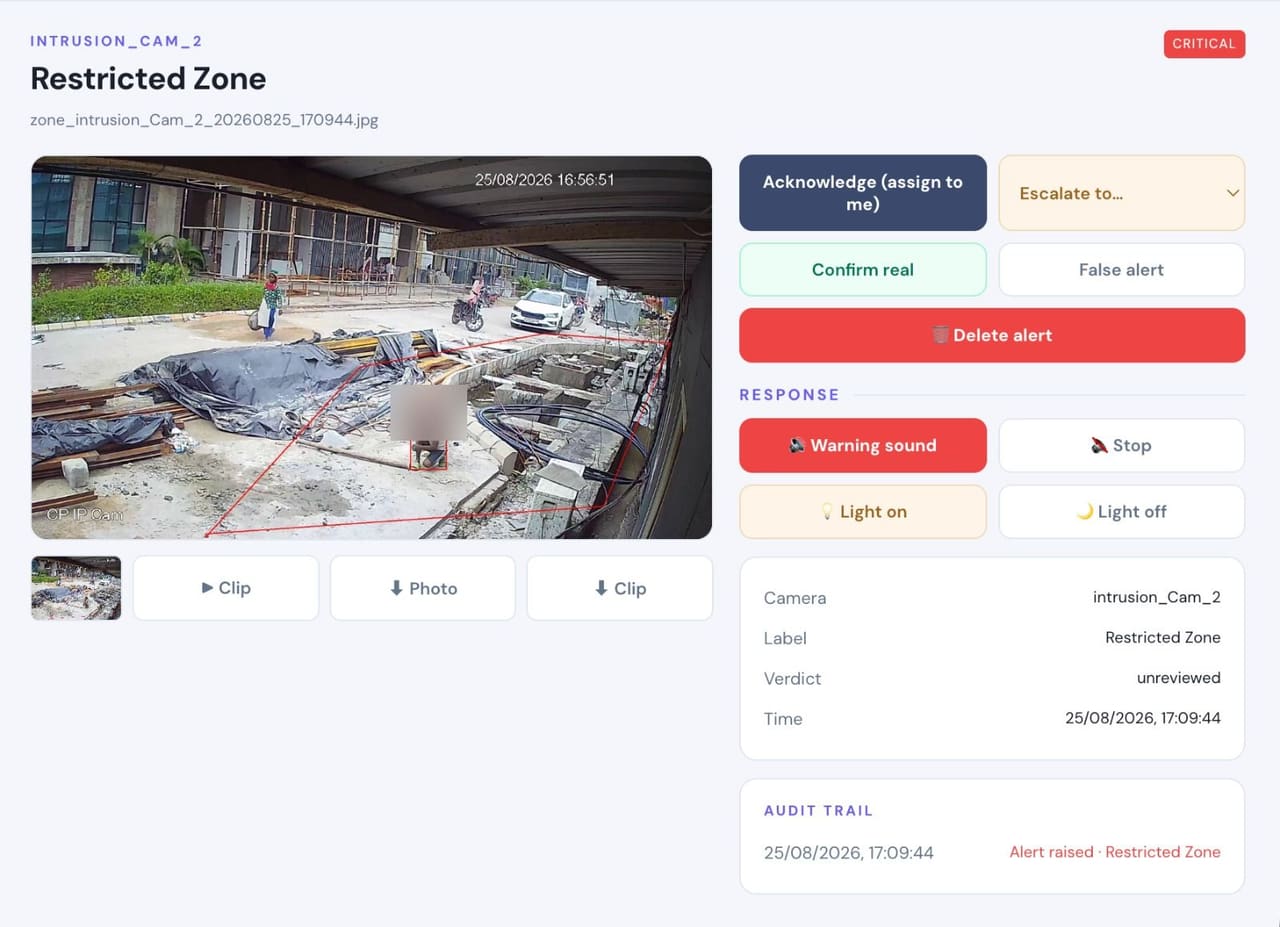
- Detects
- Any person inside a marked area during the hours it is off limits.
- Where it helps
- Plant rooms, racks, cabinets, dispatch bays and any area drawn as a zone.
- Example
- A person stands at the stock racks after the permitted window has closed.
- Configurable response
- Local voice warning in that area · light · silent alert and clip to the desk.
Banned Person / Watchlist
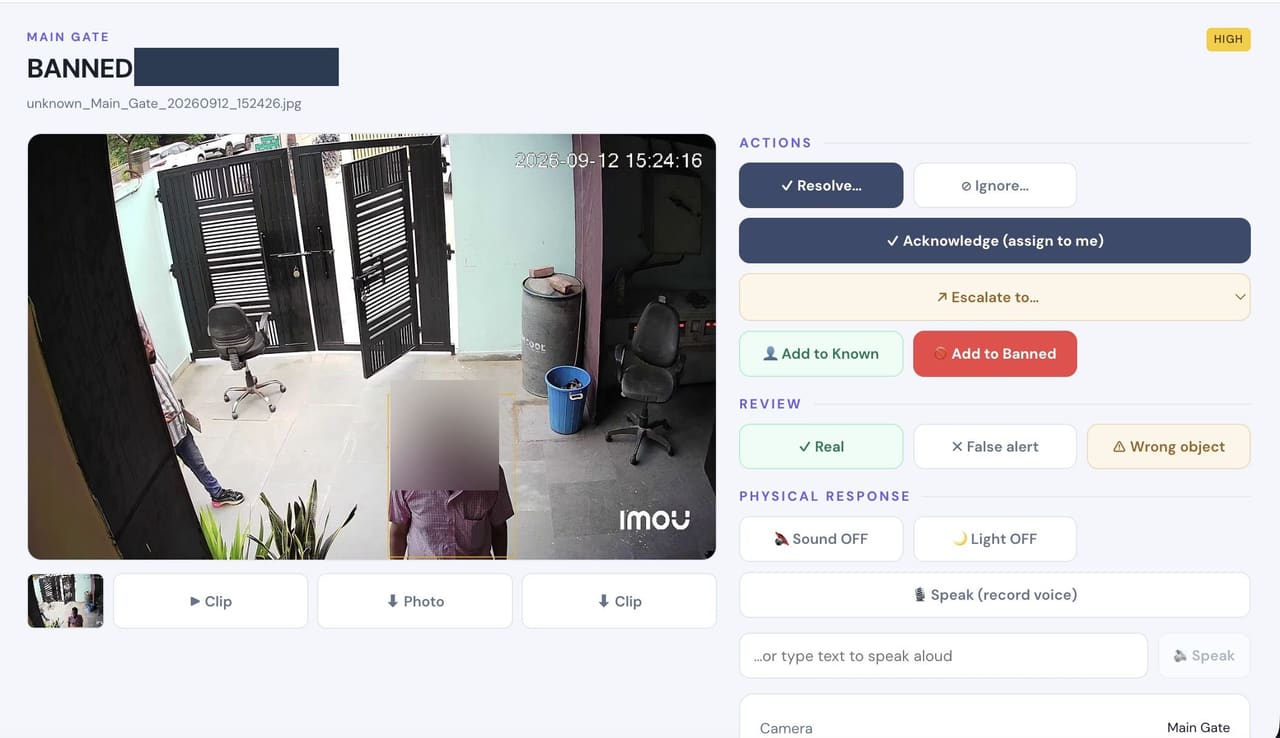
- Detects
- A likely match against a watchlist you maintain on your own appliance.
- Where it helps
- Main gate, reception and visitor entrances.
- Example
- A dismissed employee or barred contractor returns to the site.
- Configurable response
- Alert with the matched photo so the desk confirms before acting.
Perimeter Intrusion
- Detects
- A person crossing a boundary line or present in an area where nobody should be.
- Where it helps
- Walls, rear gates, parking, service entries and open yards.
- Example
- Movement along the rear boundary after dark, away from any path.
- Configurable response
- Voice warning · floodlight · siren where the site permits · alert with clip.
Loitering
- Detects
- A person lingering in one area for longer than the time you set.
- Where it helps
- Gates, racks, parking, ATMs, entrances and quiet corridors.
- Example
- Someone waits beside the boundary for several minutes without approaching the gate.
- Configurable response
- Escalating alert · voice warning · evidence clip.
SOS / Panic Alert
- Detects
- Not a detection — a person raises the alarm themselves, from the mobile app or the console.
- Where it helps
- Reception, cash offices, wards, the security desk, or simply from a phone in a pocket.
- Example
- A staff member at reception is threatened and needs help without announcing it out loud.
- Configurable response
- Immediate alert to everyone on the list — people on site and remote recipients — with the site and time.
Camera Tamper
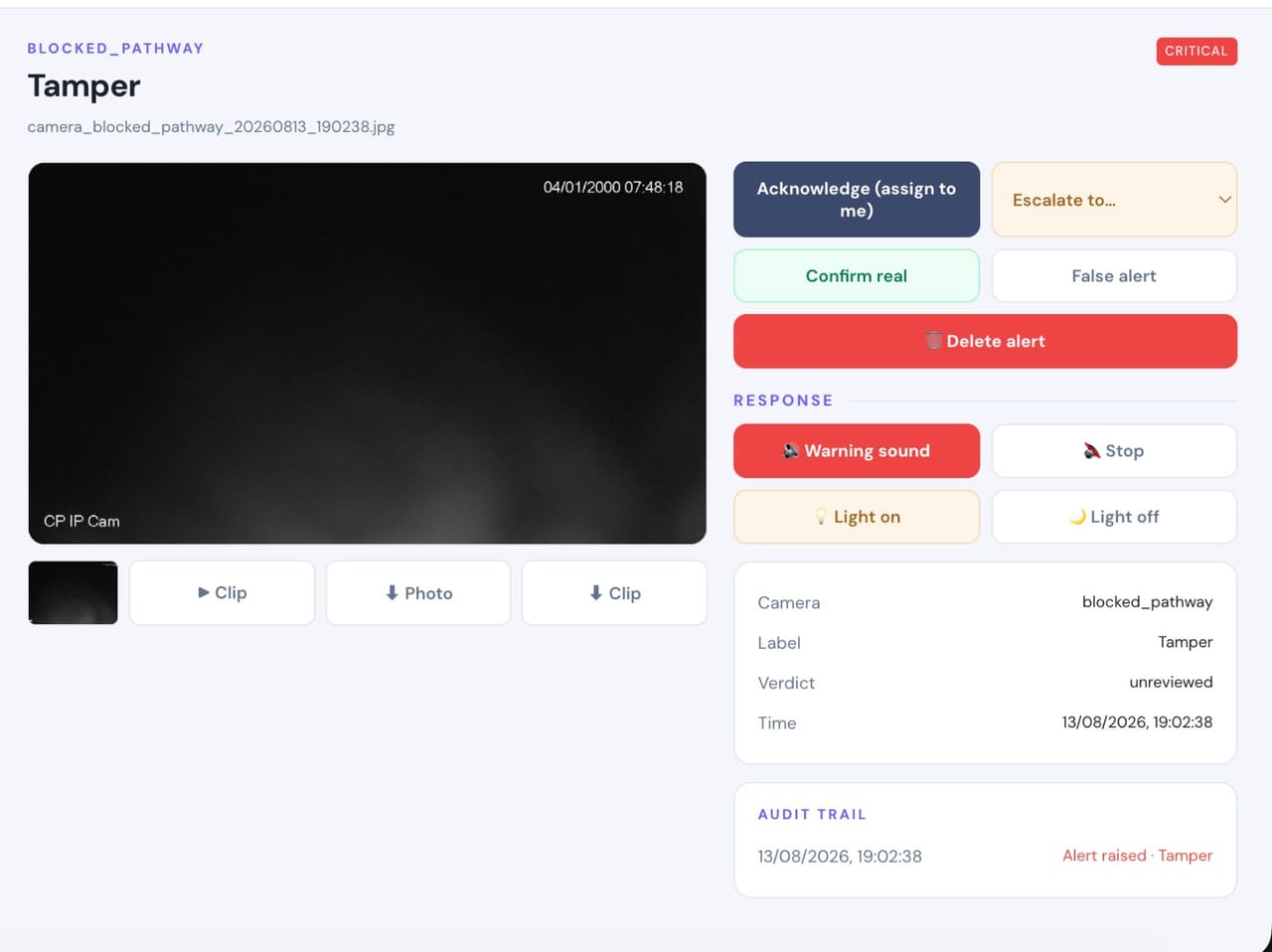
- Detects
- A camera deliberately blocked, covered, sprayed or turned away from what it was watching.
- Where it helps
- Every camera, but it matters most on gates, stores and cash areas.
- Example
- A camera view goes black shortly before an attempt on the premises.
- Configurable response
- Immediate critical alert · warning sound and light · clip retained.
Camera Health
- Detects
- A camera that has dropped off the network, lost frame rate or stopped delivering usable images.
- Where it helps
- Across every camera on the system, continuously.
- Example
- A camera quietly fails on a Friday and nobody notices until footage is needed.
- Configurable response
- Health status per camera on the console · alert when a camera degrades or disconnects.
Safety
A visual layer that watches for what hurts people, alongside your existing systems.Fire Detection
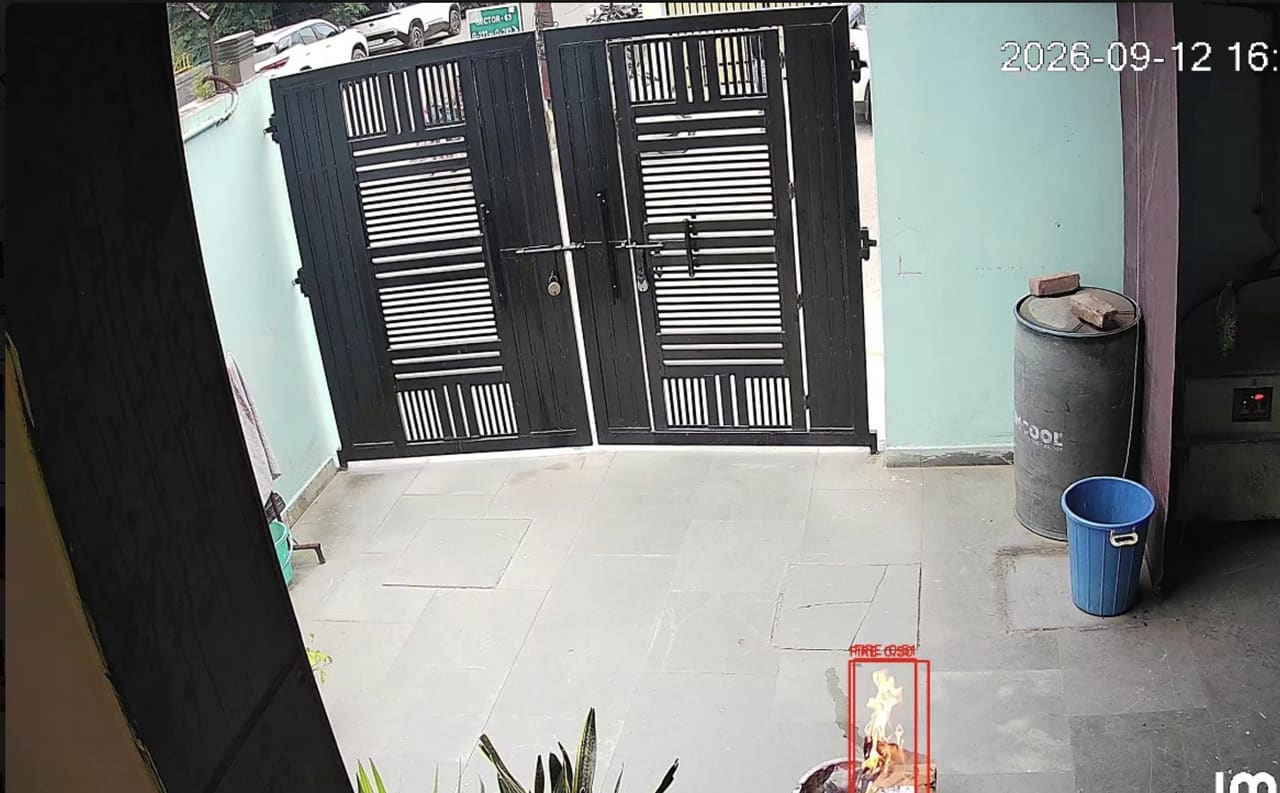
- Detects
- Visible flame in the camera view.
- Where it helps
- Plant rooms, stores, kitchens, parking, high ceilings and open yards where heat takes minutes to reach a detector.
- Example
- A fire starts in a store room overnight with nobody on that floor.
- Configurable response
- Critical alert with clip · maintenance notified · hooter where configured.
Smoke Detection
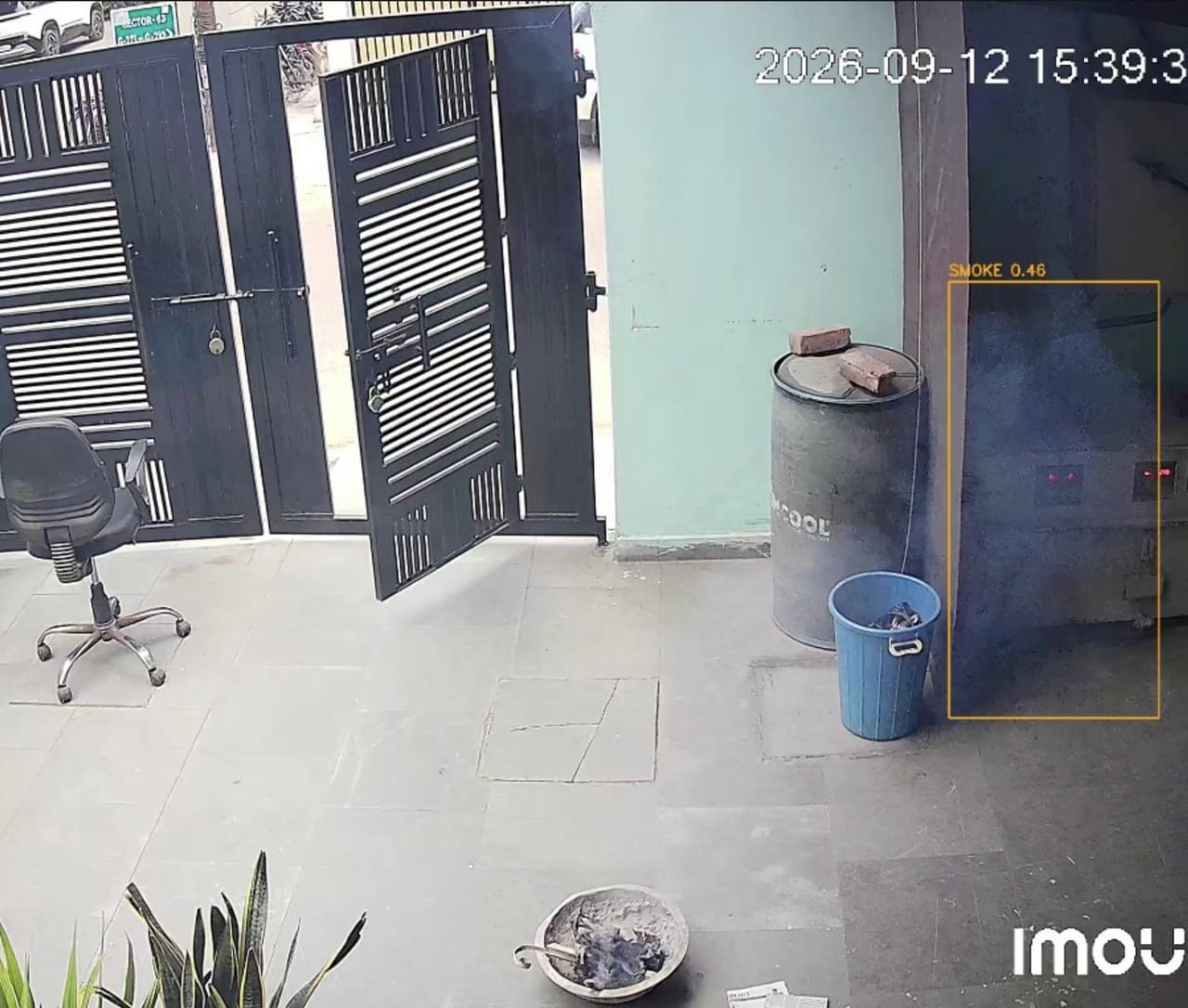
- Detects
- Visible smoke and haze building in the view.
- Where it helps
- Plant rooms, electrical panels, DG rooms, stores and parking.
- Example
- Smoke gathers near an electrical panel before any flame appears.
- Configurable response
- Critical alert with clip · maintenance notified.
PPE Compliance
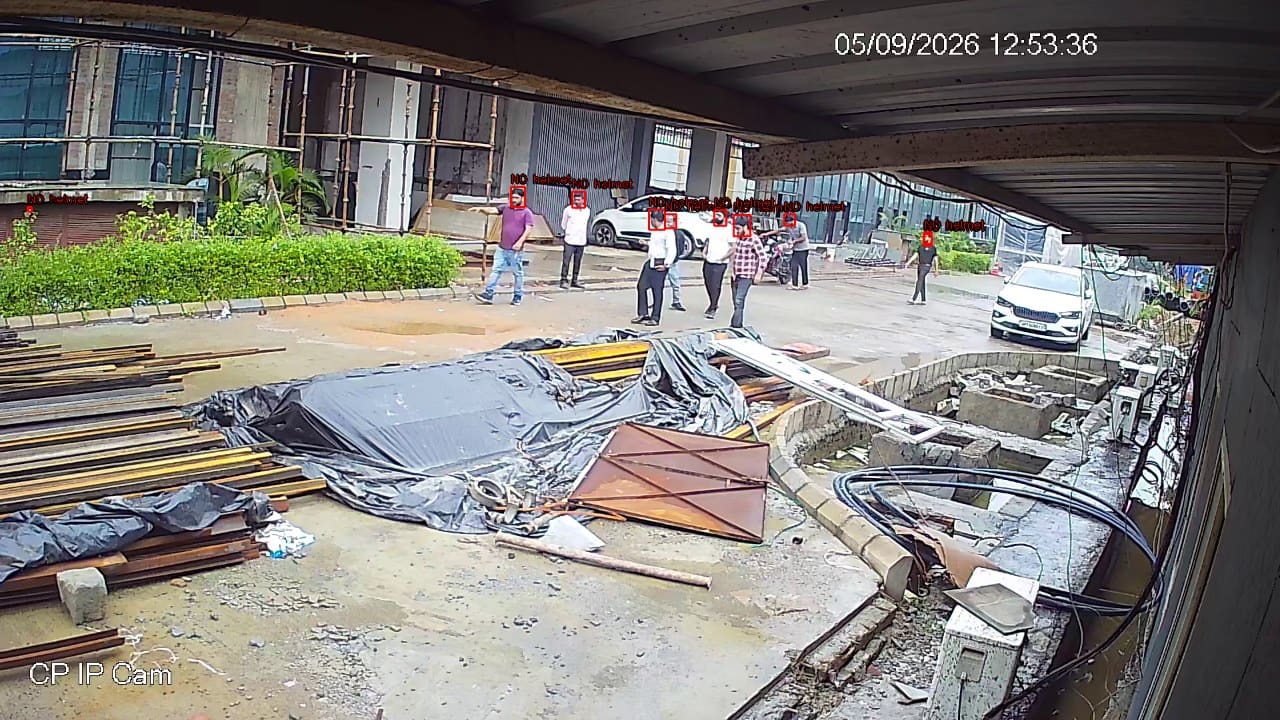
- Detects
- A person in a marked zone without the required helmet, vest, gloves or mask.
- Where it helps
- Shop floors, construction areas, plant rooms and marked safety zones.
- Example
- A worker enters the shop floor without a helmet at shift change.
- Configurable response
- Voice reminder in the zone · supervisor alert · compliance report by zone and shift.
Person Fall Detection
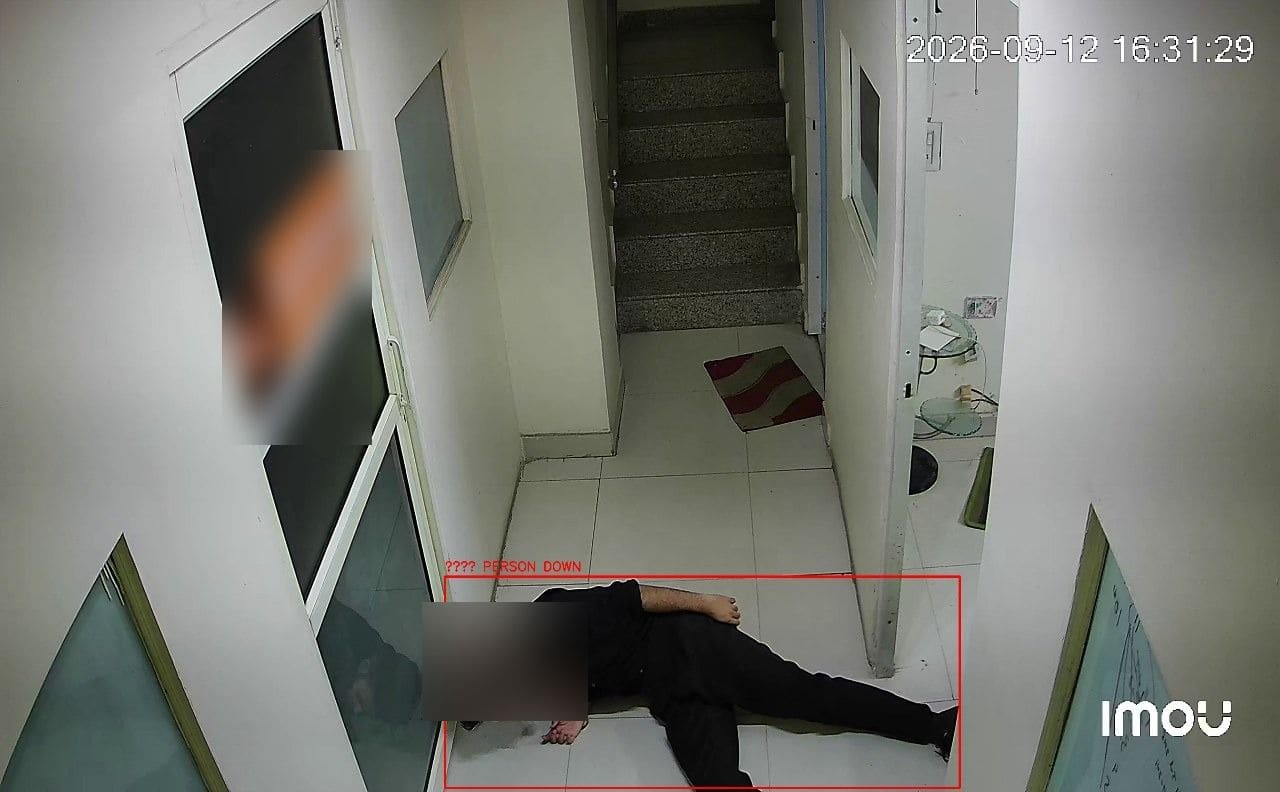
- Detects
- A person collapsing or lying on the floor, from skeleton-based analysis.
- Where it helps
- Stairwells, basements, wards, night shifts and plant rooms where nobody may be watching.
- Example
- A lone operator collapses in a plant room during a night shift.
- Configurable response
- Immediate supervisor alert with clip · voice announcement where configured.
Crowd Detection
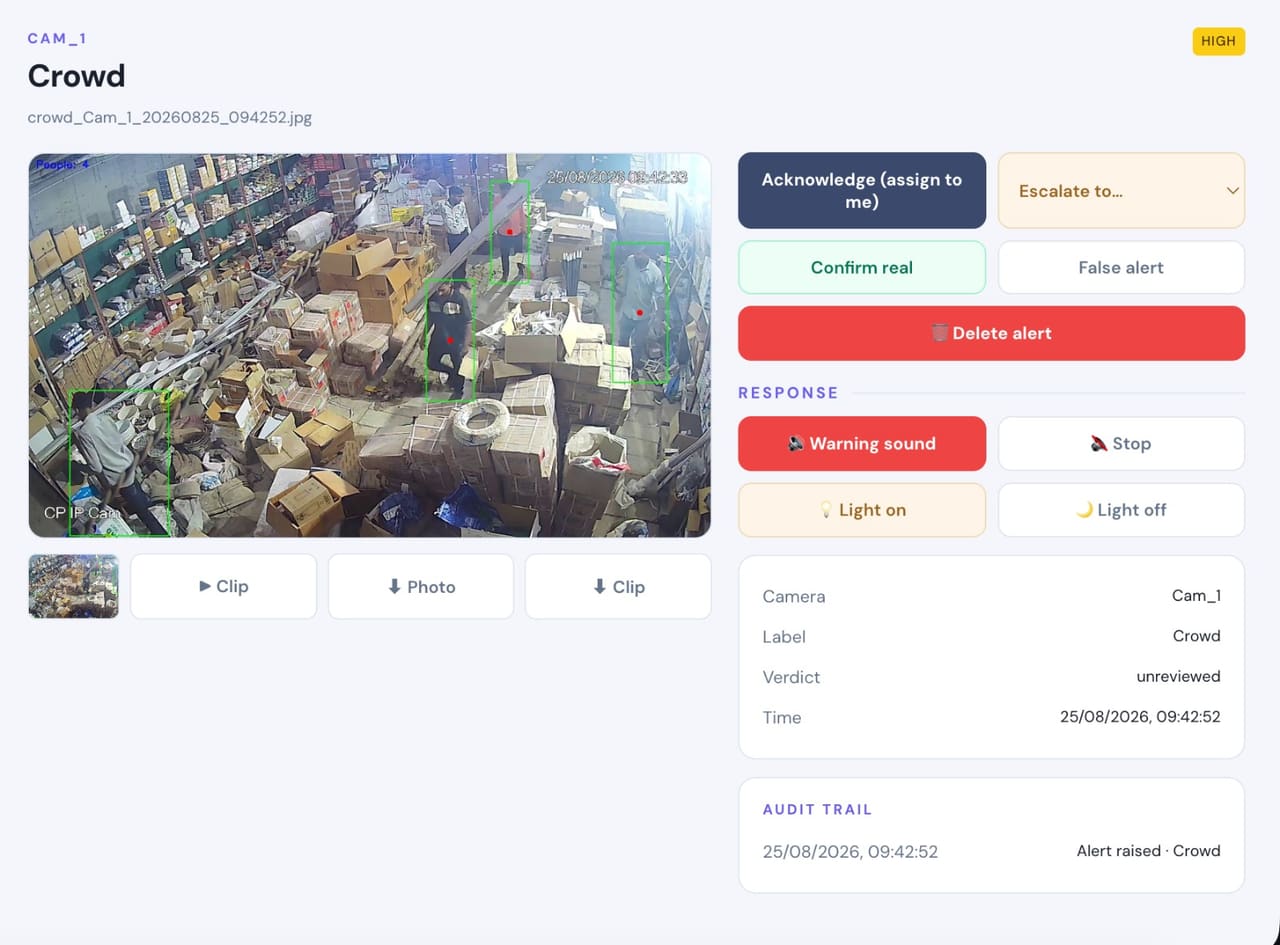
- Detects
- More people in a zone than the headcount limit you set.
- Where it helps
- Gates, lobbies, canteens, OPD waiting areas and work bays.
- Example
- A gathering builds at the main gate during a shift change.
- Configurable response
- Alert with the live count and clip before it becomes an incident.
Machine Operator Missing
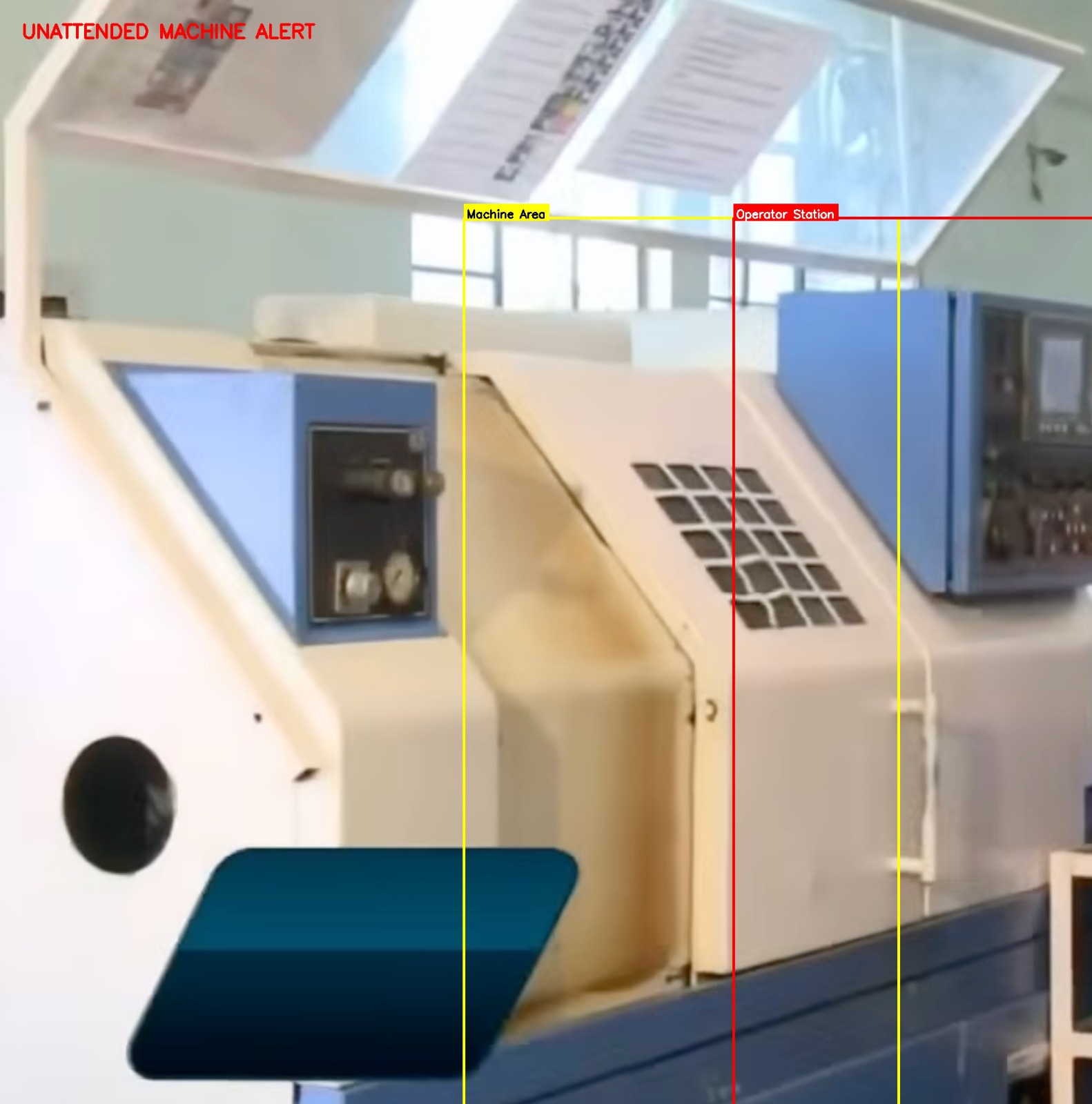
- Detects
- A machine running with nobody at the operating position.
- Where it helps
- Shop floors, production lines, presses, packing machines and any station that should not run unattended.
- Example
- An operator steps away mid-cycle and the machine keeps running with nobody watching it.
- Configurable response
- Supervisor alert with clip · voice reminder in the area where configured.
Operations
The same cameras, one enrolment, and the records the site actually needs.Attendance
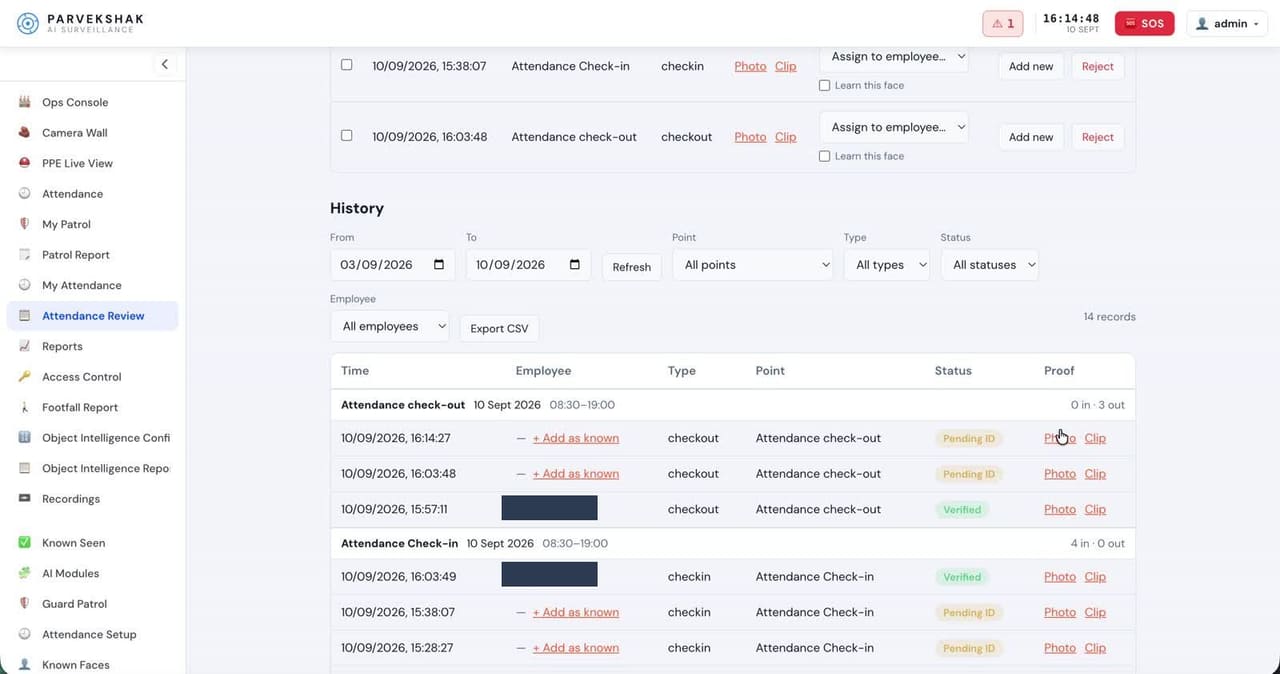
- Detects
- Enrolled staff at entry cameras, for check-in, check-out and presence.
- Where it helps
- Main gate, reception and floor entrances.
- Example
- An unknown face appears in the feed; your admin taps Add Employee and attendance starts from the next day.
- Configurable response
- Attendance and presence report · verification prompt when a match is not confident enough.
Guard Patrol
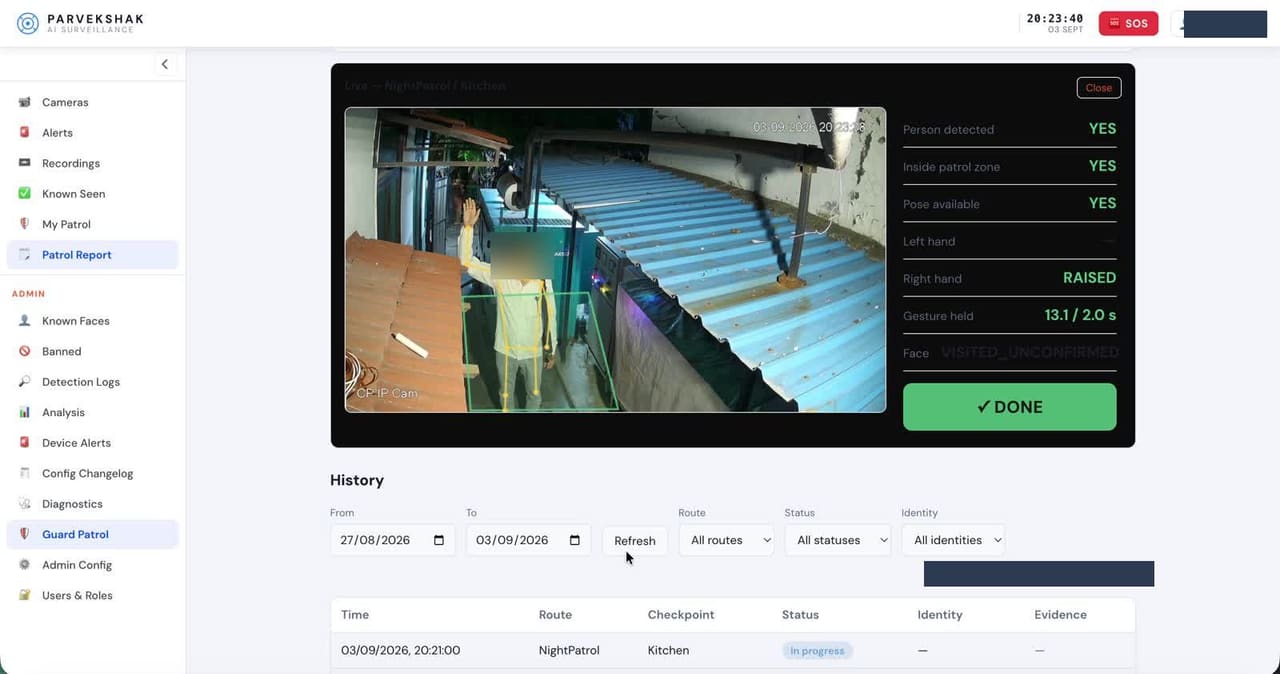
- Detects
- The enrolled guard at each checkpoint camera on every round.
- Where it helps
- Checkpoint cameras along the patrol route.
- Example
- A checkpoint is missed on the 3 AM round.
- Configurable response
- Supervisor alert on a missed checkpoint · patrol log of who was where, and when.
Vehicle In / Out Counting
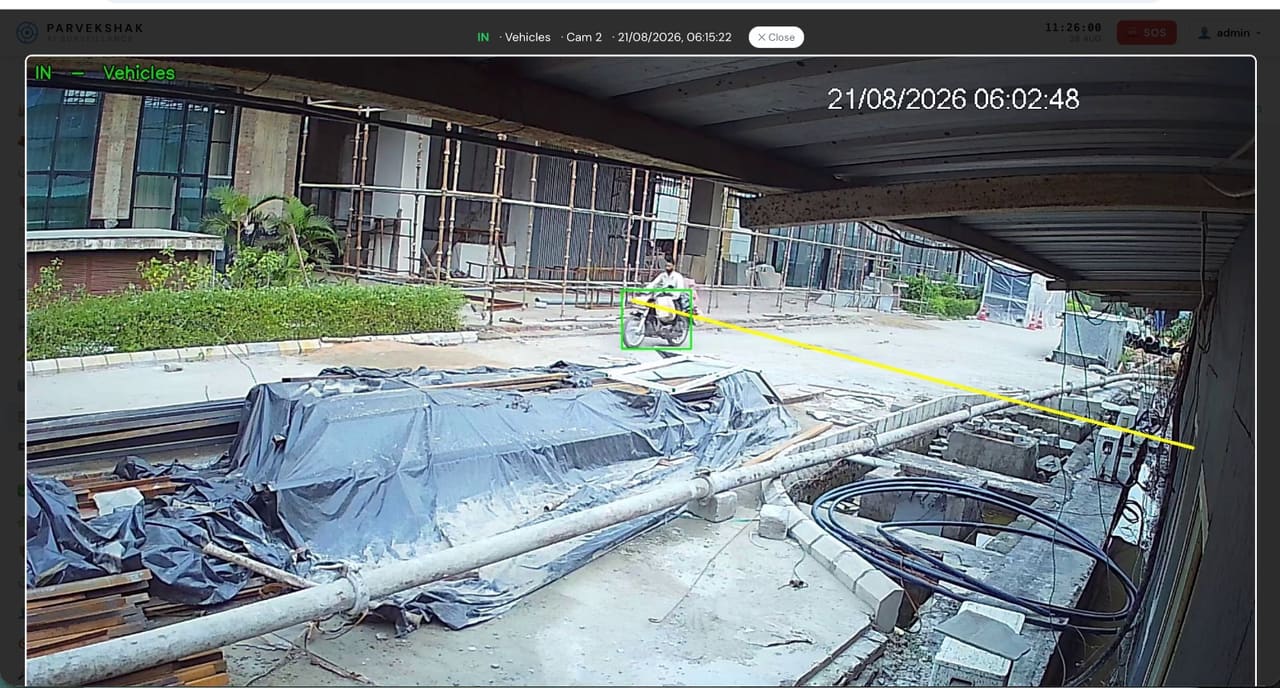
- Detects
- Vehicles crossing a line at the gate or parking entry, in and out.
- Where it helps
- Main gate, parking entries and service gates.
- Example
- A vehicle leaves the yard at an hour with no scheduled dispatch.
- Configurable response
- Timestamped frame per crossing · gate movement and turnaround report.
Vehicle Plate Recognition (ANPR)
- Detects
- The number plate of a vehicle at the gate, read and logged against the crossing.
- Where it helps
- Main gates, parking entries and dispatch gates — where the camera, lens, angle and lighting suit plate capture.
- Example
- A vehicle enters at night and you need the plate, not just a count and a frame.
- Configurable response
- Plate logged with the entry · searchable gate log · alert on a listed plate where configured.
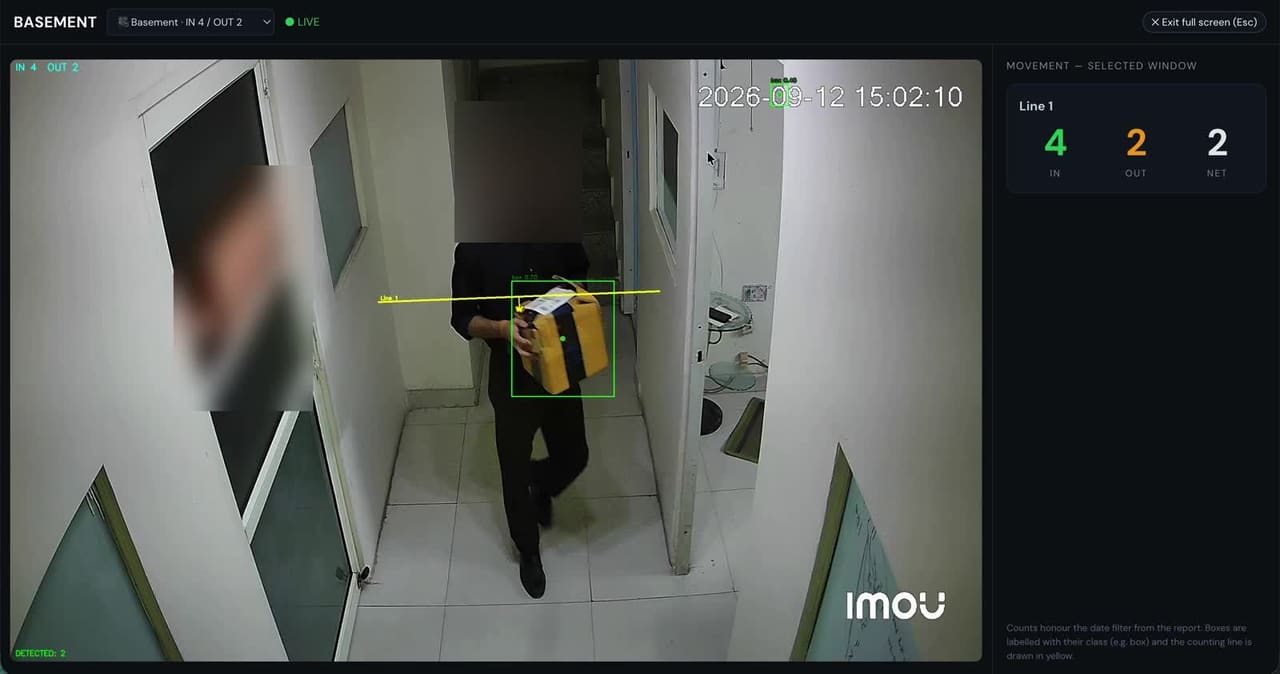
Box Counting
- Detects
- Boxes crossing a virtual line on the dock or stores camera, counted once each.
- Where it helps
- Loading docks, dispatch bays and stores exits.
- Example
- The tally for a truck does not match the dispatch note.
- Configurable response
- Count per truck and per shift · dispatch report, no manual clicker.
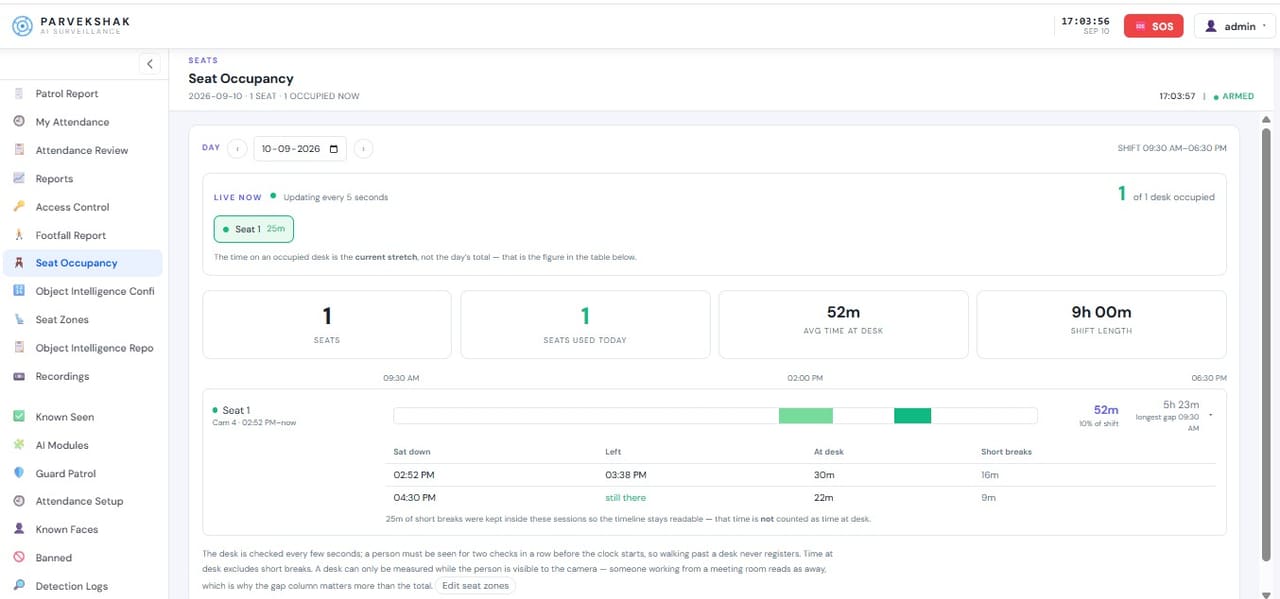
Seat Monitoring
- Detects
- Whether a designated post is occupied or empty.
- Where it helps
- Security desk, reception, nurse station and control room.
- Example
- The security desk stays empty longer than the allowed window.
- Configurable response
- Alert when empty beyond the limit · occupancy report per shift.
Occupancy Monitoring
- Detects
- How many people are in a zone over time.
- Where it helps
- Waiting areas, work bays, canteens and meeting spaces.
- Example
- A waiting area regularly exceeds comfortable capacity at the same hour.
- Configurable response
- Occupancy trend report per zone and shift.
Reports
- Detects
- Every event the appliance records, kept on site.
- Where it helps
- Across all cameras and capabilities in use.
- Example
- A month-end review of attendance, patrols, counting and compliance.
- Configurable response
- Compliance, attendance, counting and operational records from the console.
Detection is only the first step
An alert on a phone is not much use at 3 AM if nothing happens on site. Parvekshak can trigger the response the premises allows — a voice warning in that area, the light, the siren — and keep the evidence either way.
- AI detects On the appliance
- Voice warning In that area
- Floodlight / siren Where permitted
- Mobile alert With the frame
- Evidence Clip kept on site
Speaker / Voice Warning
A local warning in the area that was breached — challenging the person where they are, not across the whole site.
Siren / Hooter
Audible escalation where the site permits it, linked to confirmed events rather than every movement.
Floodlight / Light
The area lights up as configured, deterring the person and giving the camera a usable image.
Mobile Alert
A notification to the security desk, owner or management with the frame that triggered it.
Evidence Clip
The video around the event, kept on the appliance for verification and follow-up.
Reports
Compliance, attendance, counting and operational records available from the console.
Response devices are installed and configured per site. Sirens and floodlights are used only where the premises permits them.
Frequently Asked Questions
Do I still need a separate NVR?
No. The appliance provides the recording and playback function alongside the AI and management, which is why the architecture shows cameras going straight to Parvekshak.
How many cameras does it support?
That depends on the configuration — camera count, resolution, retention and which capabilities are running all affect it. We specify the appliance for your site after the survey rather than quoting a universal number.
How much storage do I need?
It is a function of camera count, resolution, frame rate, whether recording is continuous or event-based, and the retention period. Recording usually runs on the sub-stream, which changes the arithmetic considerably. We size it during design.
What happens if the internet goes down?
Recording and detection keep running — they are local. Remote mobile alerts need connectivity to leave the site, but nothing on the premises stops working.
Is there a monthly subscription?
There is no mandatory cloud subscription for the AI to run. Ongoing costs are the AMC and support arrangement you choose.
Can we access it from a phone?
Yes — a mobile app and a web console, with users and roles controlling who sees which cameras and alerts.